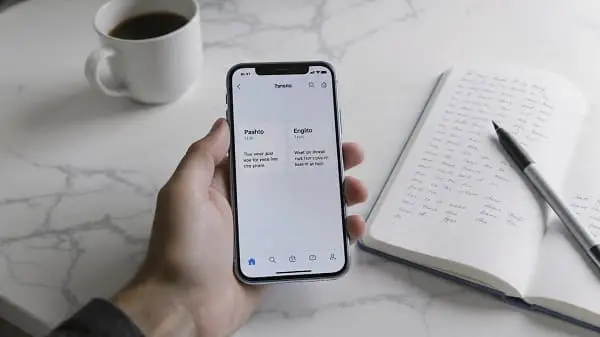
Everything you need to choose, set up, and use the best Pashto to English translation apps in 2025—offline tips, real examples, and pro workflows.
From First Phrase to First Win
You land at Hamid Karzai International Airport, the doors slide open, and a friendly taxi driver greets you in Pashto. You recognize the warmth, not the words. That instant—somewhere between a smile and a puzzled nod—is where the right Pashto to English translation app makes all the difference. In 2025, you have far better options than you did even a few years ago, but not all tools are equal, and how you set them up matters as much as which one you choose.
This guide is designed to help you go from confusion to clarity. Whether you are a traveler navigating markets in Kabul, a student reading Pashto poetry, an NGO worker sharing health guidance, or a business professional confirming shipment details, you’ll find concrete steps, realistic expectations, and proven workflows. You’ll also see where these apps shine—and where human judgment keeps you safe and respectful.
Why Pashto Translation Matters in 2025
Pashto is a major language with tens of millions of speakers across Afghanistan and Pakistan, and with significant diaspora communities worldwide. It connects families, trade, health services, education, and cultural memory. In practical terms, that means you may encounter Pashto in airports, hospitals, schools, logistics hubs, or your own chat apps. For many real-life situations, there isn’t time to hire a translator; you need help now.
Modern translation technology has improved rapidly—neural models predict context better, mobile keyboards handle scripts more smoothly, and offline packs cover more languages. Yet Pashto presents unique challenges: multiple dialects, respectful forms of address, idioms, poetic compression, and a writing system that can vary in spacing and orthography. Good tools help, but thoughtful usage is what makes your translations accurate, clear, and culturally appropriate.
Quick Picks: Best App for Each Scenario
- Fastest all-rounder (text/camera/voice): A mainstream translator with Pashto support.
- Best for team sessions and meetings: A translator with “group mode” and multi-device sessions.
- Easiest voice-to-voice chat: A minimalist conversation app with simple tap-and-talk design.
- Best for idioms and cultural nuance: A context-aware translator with robust dictionaries.
- Best example phrases and learner depth: A community dictionary with real usage examples.
Use one tool for speed, a second for nuance, and a third for confirmation. Layering apps gives you accuracy when it matters most.
How to Choose: Criteria That Actually Matter
- Coverage: Confirm that Pashto is supported for text, camera (OCR), and voice.
- Offline capability: Downloadable Pashto packs let you translate without internet.
- Script handling: Smooth input and display for the Pashto script (Arabic-based).
- Conversation mode: Two-way, hands-free voice translation for markets, taxis, and clinics.
- Context awareness: How well it handles idioms, politeness, and proverbs.
- Learning curve: Clear UI that won’t slow you down when you need it most.
- Privacy: Options to keep sensitive text or audio offline when necessary.
App-by-App Breakdown with How-Tos
1) Google Translate: The Most Versatile Starter
By 2025, Google Translate covers Pashto for text, voice, handwriting, and camera modes. The key advantage is familiarity: many users already have it installed, and it integrates with keyboards and other Google services.
Best for: Travelers, students, and everyday users who want speed and convenience.
How to set up:
- Open the app → Settings → Offline translation → Download “Pashto.”
- Enable the Pashto keyboard or handwriting input for accurate script entry.
- Test in airplane mode to confirm offline functionality.
How to use:
- Text: Type or paste a message; tap the speaker icon for text-to-speech (if available).
- Camera: Use instant camera translation for signs and menus; tap “Pause” to copy text.
- Conversation: Enter Conversation mode for two-way chat; speak clearly and slowly.
Limitations: Literal translations for idioms and some regional expressions; always double-check nuanced phrases.
2) Microsoft Translator: The Group Communication Hero
Microsoft’s translator is a favorite in professional settings for its multi-device “group conversation” feature. In clinics, workshops, or community meetings, this mode lets each person join with a code and see translations in their chosen language.
Best for: NGOs, field teams, classrooms, and public services.
How to set up:
- Install the app on team devices.
- Host starts a conversation; others join via code or QR.
- Download offline packs (where available) on devices that need them.
How to use:
- Group sessions: Project translations on a shared screen; keep sentences short.
- Voice notes: For noisy rooms, switch to typed text to improve accuracy.
Limitations: Interface is more utilitarian than flashy; always verify offline support for Pashto on your device.
3) SayHi Translate: The Voice Conversation Specialist
SayHi is a simple, tap-to-talk app that excels at quick back-and-forth conversations. It’s great for taxis, shops, and everyday interactions where typing is impractical.
Best for: Travelers and casual conversations.
How to use:
- Tap to speak in English; the app plays Pashto audio.
- Hand the phone over to your partner to speak back in Pashto; you’ll hear the English translation.
Limitations: Requires a stable connection for best results; less suitable for long documents or academic texts.
4) LingvaNex: The Context and Document Expert
If you regularly deal with idioms, proverbs, formal registers, or longer texts, a context-aware translator with strong dictionaries can help. LingvaNex is often preferred by learners and professionals who need more than literal meaning.
Best for: Students, researchers, and professional users.
How to use:
- Paste paragraphs to see context-aware suggestions.
- Use the dictionary view to explore usage notes and synonyms.
- For sensitive documents, avoid cloud uploads unless you have explicit permission.
Limitations: Some advanced features require a subscription; still verify idioms with community sources.
5) Glosbe: The Community Dictionary You’ll Keep Returning To
Glosbe functions like a phrase-rich dictionary. Instead of just giving a word equivalence, it displays example sentences contributed by users, which helps you grasp tone and usage.
Best for: Learners, teachers, and anyone who cares about “how people actually say it.”
How to use:
- Search Pashto → English or English → Pashto for words and idioms.
- Compare multiple example sentences to understand nuance.
- Add notes for your own study list or classroom use.
Limitations: Contributions vary by entry; cross-check where entries are sparse.
6) iTranslate Converse: Hands-Free Two-Way Interpreter
iTranslate’s conversation app streamlines live bilingual exchanges. You tap, speak, and it automatically handles the back-and-forth. It’s intuitive for markets and restaurants.
Best for: In-person chats where typing is inconvenient.
Limitations: Works best with steady internet and quiet environments.
Offline Setup: Packs, Keyboards, and Data-Saving
Download language packs (mobile)
- Open your translator app → Languages or Offline languages.
- Choose Pashto and download the offline pack over Wi‑Fi.
- Switch to airplane mode and test a few phrases to confirm offline functionality.
Tip: Download both directions (Pashto ↔ English) and update packs before traveling.
Enable script-friendly keyboards
- Pashto script: Enable a Pashto/Arabic-based keyboard to type words correctly and improve lookup accuracy.
- Voice input: Speak slowly and avoid slang; repeat with simpler wording if recognition fails.
- Handwriting: For signs or notes, use handwriting input when keyboards aren’t practical.
Low-bandwidth habits
- Capture screenshots of useful phrases and menus to reuse offline.
- Batch your lookups when connected; save translations in a notes app.
- Favor text translation over audio when the signal is weak.
Camera, OCR, and Handwriting for Pashto
Camera modes and OCR can extract Pashto text from signs, posters, documents, and even casual handwriting. After extraction, you can translate the recognized text without manually retyping.
- Signs and posters: Use live camera translation; freeze the frame to copy text for a cleaner result.
- Printed documents: Photograph in good light and high contrast; avoid shadows to improve recognition.
- Handwriting: Try handwriting OCR or trace characters with a stylus if recognition struggles.
Pro tip: If OCR struggles with fonts or stylized calligraphy, ask someone to reprint the word in clear block text or type it for you.
Field-Tested Workflows (Travel, Study, NGO, Business)
Traveler workflow: From airport to guesthouse
- Before arrival: Install your translator; download Pashto offline; add the Pashto keyboard.
- At arrivals: Use conversation mode for taxi instructions; confirm destinations by showing text on-screen.
- In markets: Camera-translate price lists and signs; save screenshots of common phrases.
- Backup: Keep a small printed phrase list for dead-battery scenarios.
Student workflow: Reading poetry or news
- Start with a machine draft to get structure and main ideas.
- Consult a context-aware translator for idioms and nuance.
- Cross-check tricky words in a community dictionary with example sentences.
- Annotate with tone, register, and possible dialect notes.
NGO workflow: Health messages that land
- Draft in English at grade 6–8 readability to avoid long complex sentences.
- Translate into Pashto with your primary app; simplify; avoid idioms.
- Hold a quick review with two local speakers; test understanding with three more people who were not in the review.
- Publish as text and voice notes; save the final version for future reuse.
Business workflow: Getting details right
- Translate key phrases and terms of trade into Pashto and back-translate to spot mismatches.
- Confirm technical terms (weights, sizes, delivery windows) in a dictionary with examples.
- For high-stakes agreements, ask a bilingual colleague to review your final draft.
Comparison Table
| App / Tool | Best For | Key Strengths | Considerations |
|---|---|---|---|
| Google Translate | Travel, quick lookups, signs | Text, voice, camera, offline packs | Literal on idioms; verify nuanced phrases |
| Microsoft Translator | Group sessions, workshops, clinics | Multi-device conversation mode; some offline options | UI is utilitarian; test device-specific features |
| SayHi Translate | Two-way voice chat in taxis/shops | Simple tap-and-talk; clear audio playback | Internet improves accuracy; not for long texts |
| LingvaNex | Students, researchers, professionals | Context-aware choices; richer dictionaries | Some features paid; still confirm idioms |
| Glosbe | Learners and classroom examples | Phrase examples and real usage notes | Quality varies by entry; cross-check |
| iTranslate Converse | Hands-free conversations | Intuitive two-way mode; minimal taps | Quiet spaces and stable connections help |
Check Quality: Simple Tests to Avoid Errors
- Back-translation: Translate Pashto → English, then back to Pashto. If meaning drifts, rephrase.
- Two-native check: Ask two speakers from different regions to confirm clarity and tone.
- Short sentences: Break long sentences into one idea per line for better accuracy.
- Numbers and names: Verify dates, quantities, and proper nouns manually.
- Final read-aloud: Use text-to-speech for a flow check; make sure it “sounds right.”
Troubleshooting, Dialects, and Input Tips
Dialects and registers
Pashto features major regional varieties (e.g., Kandahari and Yusufzai) and additional local pronunciations. Apps might handle one variant better than another. If you get odd results, try rephrasing with simpler, region-neutral wording and avoid slang.
Formal vs. informal
Use respectful forms when addressing elders or unfamiliar people. If you rely on an app, err on the side of formality to avoid sounding abrupt.
Voice and accent
- Speak slowly and clearly; pause between phrases.
- Reduce background noise; move to a quiet space if possible.
- If voice fails repeatedly, switch to typed text or show the translated text on screen.
Script and spelling
- Enable a Pashto-friendly keyboard so diacritics and characters render as expected.
- For ambiguous characters, try alternate spellings or include context words.
- When OCR fails on stylized fonts, manually transcribe a few key words and translate those first.
Privacy-smart habits
- Avoid uploading personal or health information to cloud services without informed consent.
- Use offline translation for sensitive content where possible.
- Store transcripts and recordings in secure folders with access rules.
Real-World Case Snapshots
1) Peshawar taxi ride, made easy
You open a conversation app, say your destination in English, and the driver hears Pashto. He replies, the app plays English back to you. The conversation is simple, polite, and accurate enough to get you there without confusion.
2) Health workshop in Kandahar
An NGO facilitator runs a group session with a translator’s multi-device mode. Participants read Pashto subtitles as the facilitator speaks English. Two local reviewers refine key phrases beforehand to ensure clarity and respect.
3) University study group
Students reading Pashto poems start with a machine draft, switch to a context-aware translator for idioms, and then confirm with a community dictionary and a native speaker. Notes grow into a bilingual study pack the whole class can reuse.
4) Shipment details in Dubai
A trader checks invoices and shipping terms with two apps to ensure nothing is lost in translation. Back-translation catches a potential misunderstanding in delivery windows—saving time and money.
FAQs
Is one app enough for Pashto to English?
Not always. Start with a fast all-rounder, but confirm idioms and formal messages with a second tool or a community dictionary.
Can I translate without internet?
Yes, if you download offline packs for Pashto. Test in airplane mode before you travel or go on-site.
What about WhatsApp and chat apps?
Keyboard translation features can convert what you type into Pashto and translate replies back into English. Keep sentences short for accuracy.
How do I avoid sounding rude?
Prefer formal address when uncertain, avoid slang, and check cultural phrases with a native speaker or teacher.
What if a proverb or joke doesn’t make sense?
Literal meaning may not match the intended message. Use a context-aware translator and a community dictionary, and verify with a local speaker if possible.
References (Official Resources)
- Google Translate: Supported languages
- Microsoft Translator: Language support
- SayHi Translate (official)
- LingvaNex (official)
- Glosbe: Pashto–English dictionary
Tool availability and coverage change frequently. Always verify features on the official pages and test on your device before fieldwork or travel.
About the Author and Editorial Standards
WATranslator Editorial Team works with educators, community advisors, and technologists to publish practical guides for low‑resource and regional languages. We focus on clear setup steps, respectful use, and realistic expectations.
- Experience: Field workflows for offline setups, bilingual learning materials, and team translation sessions.
- Editorial process: Reviewed against official vendor documentation; updated periodically.
- Corrections: If you spot an error or have a local phrasing we should highlight, contact us via our site.
Reminder: For sensitive topics (health, legal, emergency instructions), pair apps with local reviewers whenever possible.

Aarav Sharma — Founder & Editor, WA Translator. I publish hands‑on, privacy‑first guides on WhatsApp translation, iOS Shortcuts, and AI translators. All workflows are tested on real devices (EN↔AR) with screenshots and downloadable Shortcuts. About Aarav • Contact