
If you’ve ever fed an SRT or WebVTT file into an “AI subtitle translator” and got back broken timecodes or unreadable line breaks, you’re not alone. Good subtitle translation is more than language accuracy—it’s preserving timestamps, respecting 1–2 lines per cue, and keeping reading speed comfortable. This guide shows practical, format‑safe ways to translate SRT and WebVTT at scale without damaging structure or accessibility. You’ll get step‑by‑step workflows, quality targets (CPS/CPL), real examples, and checklists you can reuse on every project.
- Protect structure: send only cue text to AI, never timestamps; reattach translations to the original cues.
- Set limits upfront: two lines per cue, maximum CPL (characters per line), and CPS (characters per second) by audience/script.
- Use a glossary for names and terms; add a brief human pass for tone and pacing before you publish.
- For confidential content, prefer on‑device or tightly scoped pipelines over unrestricted cloud processing.
Why AI subtitle translation breaks (and how to prevent it)
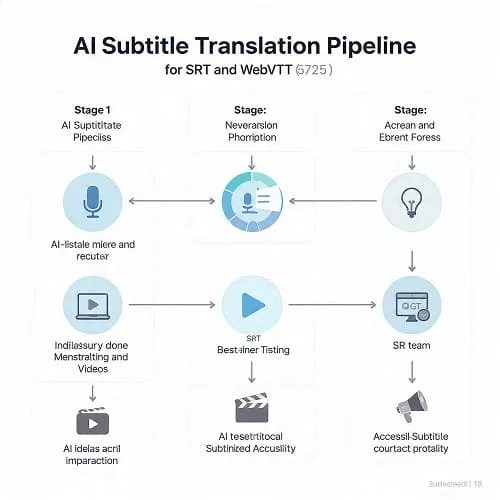
Subtitles are timed text, not paragraphs. When you paste whole blocks into a translator, models merge cues, drop italics or speaker labels, and expand text until viewers need to speed‑read. The fix is structural: translate each cue (or line) on its own, keep tags safe, and enforce reading limits automatically.
- Merged cues happen when you concatenate lines before translation.
- Lost italics/speaker labels happen when inline markup isn’t protected.
- High reading speed happens when target text expands without CPL/CPS limits.
What makes a good AI subtitle translator workflow
There isn’t a single “best app”; there’s a best practice. Over many projects (education, explainers, OTT prep), the most reliable workflows share these traits:
- Timecode safety: Never edit indices or timestamps during translation.
- Tag preservation: Keep italics, speaker labels, and WebVTT cue settings intact.
- Segmentation awareness: Respect cue boundaries and enforce two lines max per cue.
- Glossary control: Consistent brand/product terms with “do not translate” rules.
- Measurable quality: Automatic CPS/CPL checks and a short human pass.
- Auditability: Logs of engine, model version, and glossary used.
SRT vs WebVTT: structure, tags, and common pitfalls
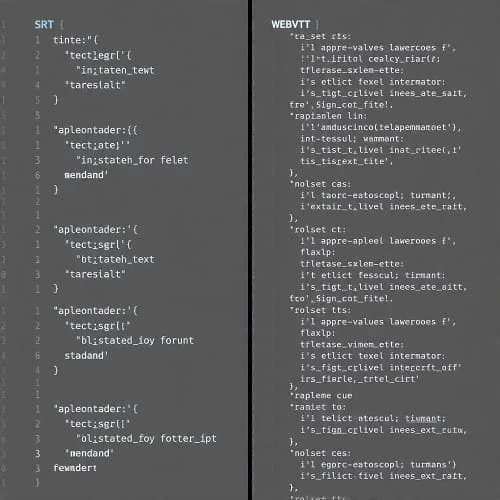
SRT is minimal (index + timestamps + text). WebVTT adds headers and cue settings (position, alignment), plus optional notes/metadata. Treat them as timed containers—translate the text only.
SRT structure
12
00:00:45,040 --> 00:00:47,080
We should keep this short.
Two lines max is ideal.- Keep indices and timestamps unchanged unless re‑timing later as a separate step.
- Preserve line breaks—they define reading rhythm.
- SRT uses commas for milliseconds (00:00:45,040).
WebVTT structure
WEBVTT

00:02.000 --> 00:05.500 align:middle line:84%
We should keep this short.
Two lines max is ideal.- Don’t drop the
WEBVTTheader or cue settings (align,line,position). - Retain inline italics, speaker labels, and any simple styling.
- WebVTT uses dots for milliseconds (00:02.000).
Validate before and after translation: no overlaps, valid timestamp syntax, intact headers, balanced tags.
Workflow patterns that keep files safe
Choose a pattern based on volume, privacy, and your team’s skills. The labels below are generic—use any editor, API, or platform that supports these behaviors.
Comparison at a glance
| Workflow pattern | Where it shines | Structure safety | Scale | Privacy | Not ideal when… |
|---|---|---|---|---|---|
| Desktop editor + MT plugin | Hands‑on batches with visual QC | High (format‑aware) | Small–Medium | Depends on plugin (often cloud) | You need strict offline or data residency |
| Scripted pipeline (API) | Large catalogs, CI/CD, custom QC | Very high (you control parsing) | High | Configurable (private routes possible) | No engineering bandwidth |
| Managed platform | Teams, roles, audit trails, dashboards | High (vendor‑dependent) | High | Vendor policy / region options | Strict offline mandates |
| NMT + LLM polish | Creative tone and idioms | High if constraints enforced | Medium | Usually cloud | No capacity to guard structure |
| On‑device translation | Confidential/internal content | High (local control) | Low–Medium | Strong (local) | Very large multilingual volumes |
Step‑by‑step: safe SRT/WebVTT translation
This sequence minimizes rework and protects structure.
Step 1 — Validate the source
- Fix malformed timecodes/overlaps; ensure ascending SRT indices.
- Confirm UTF‑8 encoding; normalize line endings; remove trailing spaces.
- Standardize speaker labels and check for unbalanced italics.
Step 2 — Extract text per cue
- Map each cue to an ID and its two text lines (if present).
- Do not concatenate across cues; treat each line as a separate unit if needed.
Step 3 — Translate with constraints
- Send glossary terms (and “do not translate” rules) with each request where supported.
- Enforce two lines max and a hard CPL ceiling. Reject or re‑request lines that exceed limits.
- Protect italics/speaker tags with placeholders (e.g.,
__I__…__/I__). - Hybrid polish? Use strict instructions: “Keep timestamps/line count. Max 42 characters per line. Don’t merge cues.”
Step 4 — Reattach and re‑validate
- Reinsert translated text into the original SRT/VTT structure (indices, timestamps, cue settings unchanged).
- Run validators and a linter for: overlaps, malformed timestamps, unbalanced tags, blank cues.
Step 5 — QC: CPS and CPL
- Compute CPS per cue: characters divided by cue duration in seconds.
- Flag anything over your target and compress wording slightly if needed.
Step 6 — Short human review
- Tune idioms, register, and punctuation for the target language.
- Playback flagged cues and dense dialogue; check continuity across episodes.
Quality targets: CPS, CPL, and segmentation
AI can be linguistically correct yet hard to read. Use these guardrails as a starting point (align with your platform’s style guide):
Recommended ranges
| Audience / Script | Target CPS | Target CPL | Notes |
|---|---|---|---|
| General adult (Latin scripts) | 15–20 | 35–42 | Shorter is better for fast dialogue |
| Children / learning content | 12–16 | 30–35 | Reduce density and avoid complex breaks |
| RTL (e.g., Arabic) | 14–18 | 32–38 | Watch punctuation direction and digit style |
| CJK (Chinese/Japanese/Korean) | 12–17 | Varies | Prefer concise paraphrase over line breaks |
Segmentation and punctuation
- Break at clause boundaries; don’t split names or leave prepositions at line end.
- Keep 1–2 lines per cue; avoid 3 lines—many players clip.
- Follow target punctuation: Arabic comma “،”, Spanish “¿…?”, French spacing before « : ; ? ! ».
Glossaries and consistency (names, terms, style)
Terminology drift is a top source of complaints. Lock terms early and enforce them automatically where possible.
- Hard glossary: Use translation APIs or tools that accept term pairs per language. Include “do not translate” tokens (product names, URLs, codes).
- Prompted fallback: If no native glossary, prepend a short list of term→translation pairs and rules. Keep it compact to avoid prompt dilution.
- Style guide: Define tone, honorifics, line‑break policy, off‑screen signs (e.g., [sign]), and number formatting (digits, units, currency).
Accessibility and localization notes
- SDH/CC: Include speaker IDs, sound effects, and non‑speech cues; use consistent brackets.
- RTL scripts: Verify comma/semicolon direction and digit policy (Arabic‑Indic vs Latin). Test in the actual player for bidi quirks.
- CJK: Favor clear paraphrase; avoid stacking particles at line ends; watch CPS tightly.
- Positioning/colors (WebVTT): Keep or normalize per platform; not all players honor styling equally.
Batch automation and auditing
- Folder structure: Mirror trees:
/source/{lang}/→/translated/{lang}/. Match filenames. - Immutable inputs: Never overwrite source; write versioned outputs.
- Metadata: Store engine/model, glossary hash, timestamp, and script commit SHA in a sidecar JSON or filename suffix.
- Retries and rate limits: Add exponential backoff and idempotency to avoid partial writes.
- Diffs: Keep a text‑only diff per cue for reviewers; it speeds human passes.
Examples: per‑cue translation and small edits
Protect line breaks and italics
Original (SRT)
118
00:05:12,000 --> 00:05:14,500
We should definitely test this.
Two lines max is ideal.

Translated (SRT) — keep tags and line breaks
118
00:05:12,000 --> 00:05:14,500
علينا بالتأكيد اختبار هذا.
سطران كحد أقصى هو الأفضل.
Keep codes/links intact
Original
Order #XT-392 is ready. Track: https://…/XT-392

Policy
- "XT-392" (do not translate)
- URLs unchanged

Result (AR)
الطلب "XT-392" جاهز. التتبع: https://…/XT-392
Reading speed check
- Cue text length: 68 characters
- Duration: 3.6s
- CPS = 68 / 3.6 ≈ 18.9 → acceptable for adult general content
Troubleshooting
AI merged multiple cues into one
Translate per cue (or per line) only. If you already merged, re‑segment by timestamps, then retranslate each segment with “do not merge lines” instructions and CPL caps.
Italics and speaker labels disappeared
Use placeholders (__I__/__/I__, __SPK_A__) during translation and restore them afterward. Run a linter for balanced tags.
Numbers and punctuation wrong in RTL
Decide Arabic‑Indic vs Latin digits per channel and stick to it. If bidi punctuation looks off in the player, adjust spacing or move mixed‑script tokens to the end of the line.
Glossary terms ignored
Check language codes (BCP‑47), exact casing, and term direction. For prompt‑based workflows, keep the term list short and place it at the top with explicit “do not translate” rules.
Reading speed too high after translation
Prefer concise paraphrase over re‑timing. If re‑timing is necessary, do it as a separate pass so structural issues remain visible.
Reusable checklists (preflight, QC, publish)
Preflight (source)
- No overlapping cues or malformed timestamps.
- Consistent speaker labels and italics; UTF‑8 encoding.
- Decide digit policy, glossary, and style guide.
During translation
- Translate text only; keep cue mapping.
- Two lines per cue; enforce CPL.
- Protect tags with placeholders.
Post‑translation QC
- Reattach to original timestamps and settings.
- Validate structure; compute CPS/CPL.
- Human pass on flagged cues; quick playback sample.
FAQ
Can I convert SRT to WebVTT while translating?
Yes, but separate concerns. Translate text per cue first; then convert the container (SRT ↔ VTT) using original timing and cue settings. Validate after conversion.
Which AI engine is “most accurate”?
Accuracy varies by language pair and domain. Run a small test with your content, a glossary, and your CPL/CPS limits. Score tone, terminology, and reading speed—not just literal correctness.
Do I need human review?
For public releases, education, or entertainment—yes. A short human pass catches idioms, pacing, and minor edits machines miss.
When should I re‑time cues?
Only if CPS cannot be fixed by concise paraphrase or when aligning with shot changes. Re‑timing should be its own step after translation/QC.
How do I handle on‑screen text and signs?
Use a consistent convention (e.g., [sign]) or your platform’s forced‑narrative style. Keep it short and avoid overlap with dialogue cues.
Conclusion and next steps
- Translate per cue, keep timestamps/tags intact, and enforce CPL/CPS. That’s 80% of subtitle quality.
- Lock terminology with a glossary and run a brief human review on flagged cues.
- Automate structure checks and logging so you can scale without surprises.
Do this once, save your checklists, and every new project becomes faster, cheaper, and more consistent for viewers.
Related reading
If you also switch languages on mobile, this guide can help with day‑to‑day messaging: Best Translation Keyboards for iPhone (2025).
References

Aarav Sharma — Founder & Editor, WA Translator. I publish hands‑on, privacy‑first guides on WhatsApp translation, iOS Shortcuts, and AI translators. All workflows are tested on real devices (EN↔AR) with screenshots and downloadable Shortcuts. About Aarav • Contact