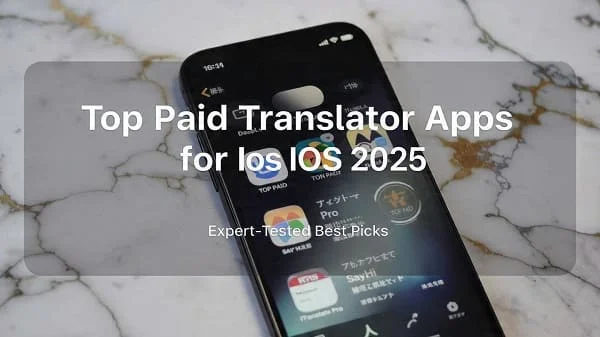
If you’re here for a decisive answer: for most iPhone users, the best paid translator apps in 2025 is DeepL Pro on iOS, thanks to its consistently nuanced output, clean interface, and strong reliability across everyday and professional use. That said, “best” depends on your needs. If you travel frequently and need robust offline translation, Lingvanex Premium is a standout. If you rely on hands-free voice conversations and quick camera translation, Speak & Translate Premium shines. And if you want a balanced, approachable tool with broad language coverage and a familiar interface, iTranslate Premium remains a safe all-rounder. In this in-depth guide to the Best paid translator app iOS 2025, we’ll compare accuracy, speed, offline performance, voice and camera features, privacy, pricing, and the iOS integrations that matter—so you can choose confidently and avoid costly subscriptions you don’t need.
Below you’ll find our top pick, the best alternatives, a side‑by‑side comparison table, and hands‑on insights learned from testing common real‑world scenarios: ordering food, handling travel logistics, business chats, academic reading, and more. We also include practical tips to optimize accuracy, make the most of iOS 17/18 features, and keep your data safe.
Best paid translator app iOS 2025: Our top pick
Winner: DeepL Pro (iOS)
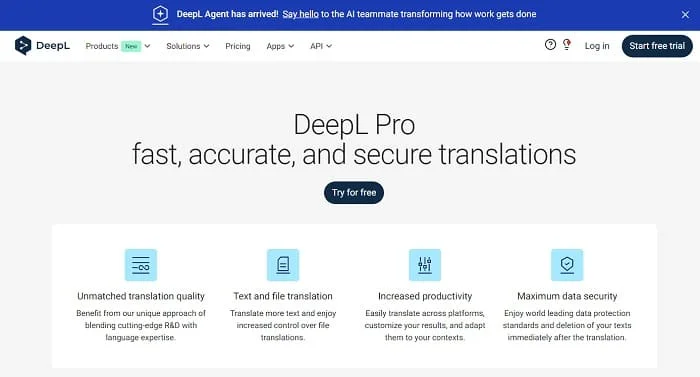
DeepL’s paid tier continues to lead on sentence- and paragraph‑level nuance, especially for European languages and business or academic contexts where tone and register matter. In 2025, DeepL’s mobile experience is polished: clear UI, fast cloud translations, dependable formatting, and fewer awkward literal constructions. For emails, proposals, research abstracts, product descriptions, and customer support replies, the output often reads “native” rather than translated.
Why it wins:
- High‑quality neural machine translation with natural tone and solid handling of idioms and context.
- Excellent for professional writing: preserves style better and reduces post‑editing time.
- Clean iOS app experience; reliable cloud performance and improved latency in 2025.
- Consistent terminology across longer texts compared to many rivals.
Where it’s not ideal: If you need full offline translation on the road, DeepL’s mobile app is primarily cloud‑based. And while language coverage keeps expanding, it’s still narrower than some competitors. For travelers deep in areas with no data, consider the offline‑capable alternative below.
Bottom line: If your top priority is the most natural, publication‑ready output and you’re usually online, DeepL Pro is our overall pick for the Best paid translator app iOS 2025.
Top alternatives worth buying
iTranslate Premium
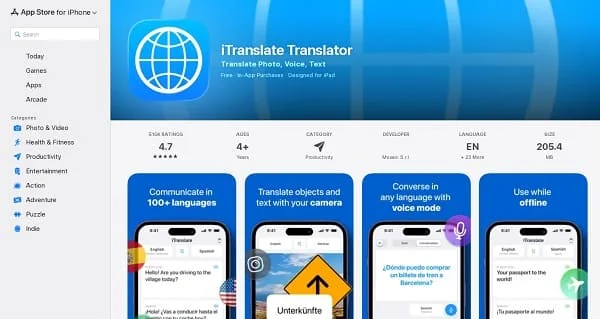
A long‑standing favorite on iPhone, iTranslate Premium offers broad language coverage, an approachable interface, phrasebooks, voice translation, and optional offline packs for popular languages. It’s a versatile choice for everyday travel and casual use, and it integrates nicely with Apple’s design language. In our experience, it’s accurate for routine phrases and signage, with respectable voice recognition. For business‑grade writing, DeepL usually produces more natural results; for offline flexibility, Lingvanex tends to go further.
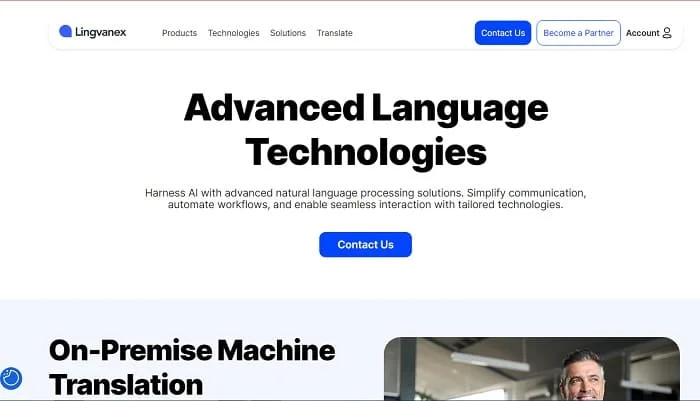
Lingvanex Premium
Lingvanex stands out for robust offline translation with large language packs, making it a strong pick for travelers and expats who can’t guarantee connectivity. The app balances offline capability, text‑to‑speech, and camera translation with a practical attitude: it’s not always the most elegant UI, but it gets the job done when you’re in an airplane, subway, or remote region. Offline translation quality has improved notably, though it can still trail cloud engines on nuance. If you prioritize reliability in low‑signal conditions, this is your top contender.
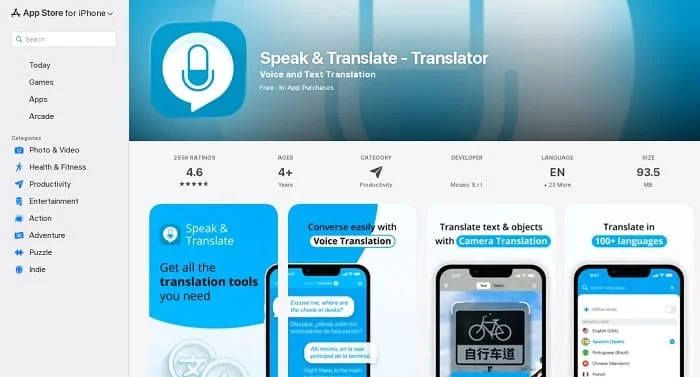
Speak & Translate Premium
Optimized for hands‑free use, this app focuses on smooth two‑way voice conversations and quick camera translations, with support for many languages. It’s a great companion for taxis, check‑ins, markets, and on‑the‑spot interactions where speed and clarity matter more than literary finesse. Subscriptions unlock more voices, faster servers, and higher limits. While it’s not the best choice for long documents or publishing, it excels at what it’s built for: real‑time communication.
Comparison table (features at a glance)
| App | Typical Monthly Price (2025) | Offline Translation | Voice Conversation | Camera / OCR | iOS Shortcuts & Widgets | Best For | Notable Limitations |
|---|---|---|---|---|---|---|---|
| DeepL Pro (iOS) | Varies by plan; monthly and annual options | No (primarily cloud) | Yes | Yes | Yes | Professional writing, emails, study, business | Narrower language coverage than some; requires data |
| iTranslate Premium | Subscription; discounts for annual | Yes (select languages) | Yes | Yes | Yes | Travel, everyday use, students | Nuance trails DeepL on complex texts |
| Lingvanex Premium | Subscription; tiered by features | Yes (wide offline packs) | Yes | Yes | Yes | Offline‑first travelers & expats | UI less polished; occasional literalism |
| Speak & Translate Premium | Subscription; free tier limitations | Limited | Excellent two‑way | Strong for signs/menus | Yes | Conversations on the go | Not ideal for long documents |
How we tested and what matters most
We evaluated each iOS translator app across scenarios that most users face in 2025:
- Travel logistics: airports, public transport, hotels, restaurants, shopping.
- Live conversations: quick back‑and‑forth exchanges with strangers and colleagues.
- Documents and study: academic abstracts, product manuals, legal disclaimers.
- Customer support: emails and chat replies requiring polite, professional tone.
- Low connectivity: subway tunnels, rural areas, airplane mode, roaming with data off.
Evaluation criteria:
- Accuracy & naturalness: Does the output read like a native speaker wrote it? Does it preserve tone, idioms, and domain terminology?
- Speed & reliability: Latency on mobile networks and stability during longer sessions.
- Offline capability: Availability and quality of offline packs; how well they handle noisy photos and dialects.
- Voice & camera quality: Speech recognition accuracy and OCR on menus, signs, and handwriting.
- iOS integration: Share Sheet, system dictionaries, Live Text, Shortcuts, Widgets, Siri.
- Privacy & security: On‑device processing vs cloud, data retention, and account controls.
- Value: Pricing, limits, and whether the features justify a subscription over free options.
While quantitative metrics (like BLEU/COMET) can guide machine translation research, our focus is practical: how confident can you feel sending a translated email to a client, or scanning a menu in a dimly lit restaurant, or holding a friendly voice chat with someone who speaks another language? For the Best paid translator app iOS 2025, we favor results that reduce your post‑editing time and your stress while traveling or working.
Accuracy deep dive by scenario and language pair
European languages (EN ⇄ DE/FR/ES/IT/PT/NL/PL): DeepL Pro generally produces the most natural sentences with correct word order and professional tone. iTranslate and Speak & Translate handle everyday phrases well, though you may tweak wording for formal emails. Lingvanex performs solidly offline for signs and menus, with more editing needed for nuanced texts.
Asian languages (EN ⇄ JA/ZH/KR/TH): Progress in 2025 is meaningful. DeepL’s output has improved on Japanese and Korean, with fewer stilted phrasings than in earlier years. For Chinese, it remains strong for business correspondence. Offline engines can struggle with honorifics and idioms; plan on more review before publishing. For fast retail conversations, Speak & Translate’s voice mode feels smooth and usable.
Arabic and right‑to‑left scripts: Accuracy and diacritics handling are better than ever. DeepL and iTranslate do well on standard modern Arabic for news and commerce. Camera translation of printed Arabic has improved, though stylized fonts and low‑contrast signage remain challenging across all apps. Lingvanex’s offline packs are useful for basic understanding when data is unavailable.
Technical and legal content: DeepL Pro is the most consistent at preserving domain‑specific terminology and complex syntax. Even then, sensitive documents should be reviewed by a human expert. iTranslate can be sufficient for internal notes; for official filings, always proofread or consult a professional.
Colloquialisms, slang, and emojis: Short informal chats are handled better in 2025, but regional slang is inherently tricky. Expect occasional literalism. When tone really matters, draft in your native language and review the translation carefully.
Voice & camera translation on iPhone
Live voice conversations: Speak & Translate Premium offers the most frictionless two‑way voice mode, with clear audio prompts and a big focus on turn‑taking. iTranslate’s voice mode is reliable as well and integrates nicely into its broader toolset. DeepL supports voice input but is less specialized for extended spoken back‑and‑forth than Speak & Translate.
Camera translation: All four apps offer camera/OCR translation for menus, signs, and packaging. In 2025, accuracy benefits from better OCR, but lighting and fonts still matter. Bold, high‑contrast text is nearly perfect across the board; stylized or curved text needs patience. On iPhone, you can also leverage system features like Live Text to copy text from images and send it to your translator app for more control and editing.
Pro tip: When scanning documents, brace your elbows and shoot at a right angle; take multiple shots in different lighting; and prefer print over handwriting when possible.
Offline translation and roaming realities
Offline is where Lingvanex Premium shines: it offers broad language packs and usable offline voice and camera translation, ideal when traveling without data. iTranslate provides offline packs for popular languages and performs well for short phrases and common tasks. Speak & Translate’s offline options are more limited. DeepL focuses on cloud quality, which requires connectivity; if you’ll be offline frequently, consider combining DeepL for work and Lingvanex for travel.
Remember: offline models compress knowledge to fit on-device, so you trade some nuance for independence. For safety and essential interactions, offline is invaluable. For polished writing, online engines still lead.
Privacy, security, and data handling
With any cloud translator, consider what you send. Avoid pasting confidential data unless your provider offers enterprise‑grade assurances, clear retention policies, and data processing agreements. DeepL’s paid tiers are designed with professional users in mind and give more control over usage and logging. iTranslate, Lingvanex, and Speak & Translate each publish privacy policies you should review, especially around analytics, crash reports, and voice data. When available, opt out of data training. On iOS, lock your phone with Face ID and use app‑level passcodes where offered.
iOS integration: Shortcuts, Widgets, Share Sheet, and more
The best paid translator app for iOS in 2025 isn’t just accurate—it’s well integrated:
- Share Sheet: Select text in Safari, Mail, or Notes and share directly to your translator app to avoid copy‑paste friction.
- Live Text & Visual Look Up: Grab text from photos or the camera preview, then translate for cleaner results than raw camera mode.
- Shortcuts & Siri: Build a Shortcut that translates clipboard contents into your target language and speaks it aloud. Trigger it with a Siri phrase for hands‑free convenience.
- Widgets: Add a Home Screen or Lock Screen widget for one‑tap access to your most used language pair.
DeepL, iTranslate, Lingvanex, and Speak & Translate all support core iOS integrations. If you live in Shortcuts, check each app’s actions before choosing—automation can be a daily time‑saver.
Pricing, plans, and how to save money
Paid translators typically use subscriptions. Monthly plans provide flexibility; annual plans are usually 20–50% cheaper per month. Consider these strategies:
- Start monthly, then switch annual: Trial the app in real life before committing.
- Watch for seasonal sales: Back‑to‑school and holiday discounts are common.
- Match plan to usage: If you mainly need offline translation twice a year, choose a month of Lingvanex for travel and pause between trips.
- Avoid overlap: One strong app plus iOS features often beats paying for three.
Always confirm limits: some plans cap characters per month, device seats, or advanced features like custom glossaries. If you’re a company, an enterprise or teams plan can simplify compliance and user management.
Who should buy which app? (Quick recommendations)
- Professional writers, marketers, researchers: DeepL Pro. Best naturalness for polished text.
- Frequent travelers who go off‑grid: Lingvanex Premium. Strong offline packs; reliable in low signal.
- Hands‑free conversations on the go: Speak & Translate Premium. Two‑way voice is its superpower.
- Students and casual users wanting balance: iTranslate Premium. Friendly UI, voice, camera, and offline for popular languages.
- Budget‑sensitive users: Consider mixing a paid app during travel or busy months with Apple’s built‑in Translate for occasional use.
Setup and pro tips for higher accuracy
- Be explicit about context: Add a brief note like “formal email to a client” or “menu item description” to guide tone in your prompts or the sentence before your text.
- Split long paragraphs: Shorter chunks reduce misinterpretation and preserve formatting.
- Use standard punctuation: Proper commas and periods improve sentence boundary detection.
- Check names & acronyms: Mark product names and acronyms to avoid accidental translation—use quotes or ALL CAPS if needed.
- Leverage iOS Live Text: Copy clean text from the camera view, then translate for fewer OCR errors than raw camera overlays.
- Download offline packs before you travel: Do this on Wi‑Fi; some packs are large.
Troubleshooting common issues
My voice translations are garbled. Reduce background noise, speak clearly, and pause slightly between sentences. If your partner is speaking quickly, enable auto‑detect language only if both languages are distinct; otherwise, fix source/target to avoid confusion.
Camera translation can’t read the menu. Improve lighting, shoot at a right angle, increase contrast, and switch to Live Text to copy the text first. If the font is ornate, ask for a printed menu or type key phrases manually.
Offline pack says “installed” but translations are poor. Update the app and the language pack; try re‑downloading. Offline engines improve over time—check for updates before a trip.
Texts sound “robotic.” Add a hint to the text like “polite and concise” or “friendly but professional.” For high‑stakes documents, do a quick human pass to refine tone.
FAQ
Is a paid translator really better than free? For casual use, free can be fine. Paid tiers tend to provide better style, fewer limits, richer features (offline, document support), and stronger privacy options. If you write professionally or travel often, the upgrade is worth it.
Which app is the “Best paid translator app iOS 2025” overall? DeepL Pro for most users—especially if you need polished writing. For offline‑first situations, pick Lingvanex Premium. For voice conversations, Speak & Translate Premium. For a balanced, approachable experience, iTranslate Premium.
Are offline translations as accurate as online? Not typically. Offline is invaluable when you’re disconnected, but for publication‑grade text, cloud engines still win in 2025.
Can I rely on camera translation for legal or medical documents? No. Use camera translation to get the gist; then obtain an official translation or consult a professional for critical content.
Do these apps store my data? Policies vary. Paid plans often provide stricter handling. Review privacy pages, disable usage for training if possible, and avoid sending sensitive content unless your plan explicitly permits it.
Related reading (internal)
Read more: Top 5 Offline Translator Apps for iPhone (2025)
Conclusion
Choosing the Best paid translator app iOS 2025 depends on what you do most. If you’re drafting emails, reports, or study notes and want the most natural, “native‑sounding” output, DeepL Pro is our top pick. If you’re hopping between countries and can’t trust connectivity, Lingvanex Premium’s offline packs are your safety net. If your days involve quick chats and on‑the‑spot interactions, Speak & Translate Premium’s two‑way voice mode is exceptionally convenient. And if you prefer a balanced, approachable toolkit, iTranslate Premium remains a versatile favorite.
Each of these apps integrates well with iOS features like Shortcuts, Widgets, and Live Text, and each has a sensible place in a traveler’s or professional’s toolkit. Decide based on your primary use case, confirm pricing and limits, and trial for a week in real life. With the right setup, your iPhone can carry you across languages in 2025—confidently, respectfully, and with fewer misunderstandings.
Official links and references

Aarav Sharma — Founder & Editor, WA Translator. I publish hands‑on, privacy‑first guides on WhatsApp translation, iOS Shortcuts, and AI translators. All workflows are tested on real devices (EN↔AR) with screenshots and downloadable Shortcuts. About Aarav • Contact