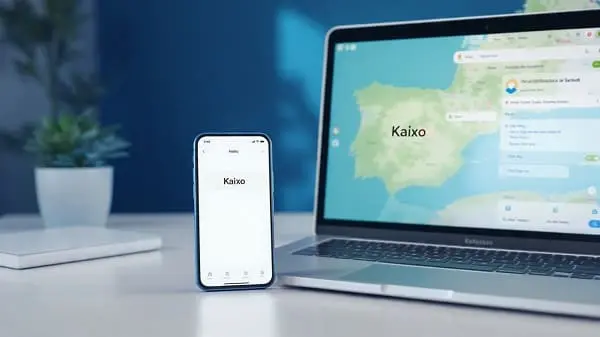
A practical, field-tested guide to Basque translation: free tools that work, smart workflows, dialect notes, and real examples for travelers, students, and teams.
Editorial note: This guide was fact‑checked against official vendor pages and updated for 2025. It focuses on tools you can use today on phone and desktop, with actionable steps and cultural context.
The café menu that taught me humility
A rainy afternoon in Donostia. I ducked into a small café, hungry and overconfident. The chalkboard menu glowed with words I half‑recognized: familiar letters, unfamiliar rhythm. The staff spoke Euskara (Basque), the specials were written in Euskara, and my stomach had no patience. I pulled out my phone, opened a translator, and—boom—the dish had a name I knew and a short description that helped me order with a smile. It wasn’t just word swapping; it was a moment of connection. That’s the real goal of a Basque language translator free: making everyday life smoother while honoring the culture.
Whether you’re reading an art exhibit label in Bilbo/Bilbao, translating a research paragraph, answering a Basque message on WhatsApp, or checking a hiking sign in Gipuzkoa, this guide shows you the best free tools, how they differ, where each shines, and the clever workflows that make them sing.
Why Basque translation is special (and worth it)
Basque (Euskara) doesn’t behave like the languages around it. It’s a language isolate: its grammar and vocabulary surprise learners—and machines. That’s part of the charm and the challenge. The good news is that 2025 is a sweet spot: local institutions and global tech companies alike have invested in resources, and you can now get practical, high‑quality help for free or next to nothing.
- Unique grammar: Basque is ergative‑absolutive, with rich morphology. That affects how machine translation (MT) reads and writes sentences.
- Strong official support: Tools built with Basque data—especially those developed and curated locally—often feel “Basque‑smart” compared with generic engines.
- Real‑world help: Today’s mix of official translators, big‑platform support, and community dictionaries covers most daily needs: travel, study, work, and chat.
Quick answer: best “Basque language translator free” picks
If you just need the shortlist, start here:
- Itzuli (Basque Government) — Basque↔Spanish is its home turf; also used as a bridge for other languages. Android app available. My go‑to for public notices and admin flavor.
- Microsoft Translator — Basque supported for text; excellent for cross‑device meetings and quick English ↔ Basque drafts.
- Google Translate — Basque is supported; superb camera mode for signs/menus and easy web translation.
- Elhuyar’s Elia — Basque‑centric machine translation across multiple languages; shines on documents and study materials.
- Apertium — Open‑source Basque pairs (notably Basque–Spanish, Basque→English). Rule‑based, dependable style, privacy‑friendly, and free.
Below, we’ll show how to combine a “speed app” (camera or quick text) with a “precision app” (Basque‑tuned or terminology‑aware) for the best results.
How Basque MT works in 2025—and what to expect
Modern engines rely on neural machine translation (NMT): instead of swapping words, they model context from large bilingual datasets. For Basque, this is a leap forward—especially for tools trained with Basque corpora and curated translations. That said, your experience will depend on three factors:
- Input quality: Short, well‑punctuated sentences translate better. Avoid long chains of clauses.
- Domain: Everyday text is easier than legalese, technical writing, or poetic language.
- Direction: Basque↔Spanish is often the smoothest lane; Basque↔English works well but may feel flatter in tone. That’s where light editing helps.
In practice, 2025’s mix—Basque‑tuned engines + global platforms + community dictionaries—is more than enough for travel, study, and work. When accuracy really matters, add a terminology check or a quick human review.
Phone-first setup in 10 minutes
- Install a fast “speed app”. For camera reads and web page translation, use Google Translate. Test the camera on a printed Basque sentence.
- Add a “precision app”. Install Itzuli (Android) for Basque↔Spanish and save the web interface for desktop. Bookmark Elhuyar’s Elia on your browser for document work.
- Enable your keyboards. On mobile and desktop, add Spanish/Euskara keyboards if you draft or edit bilingual text.
- Prep a term tab. Keep an official Basque terminology bank or a trusted dictionary open when stakes are high (school, public notices, signage, menus with allergens).
- Create a notes file. “Basque ↔ English/Spanish – Handy Phrases.” Store your best translations for reuse and consistency.
Step-by-step workflows (travel, study, work, offline)
1) Travel mode: signs, menus, and placards
- Open Google Translate camera → point at the sign/menu → read.
- If it looks administrative or formal (museum policy, town notice), paste the text into Itzuli for an extra check.
- Screenshot important phrases (opening hours, closures) for offline reference.
2) Study mode: paragraphs, PDFs, and notes
- Copy the paragraph into Elhuyar’s Elia; set the correct direction (Basque ↔ Spanish/English).
- Skim the result for structure; mark terms that feel specialized.
- Check those terms with an official terminology source or a trusted dictionary; edit lightly for tone.
3) Work mode: meetings, emails, and WhatsApp
- For live or cross‑device sessions, use Microsoft Translator’s conversation features (text mode is safest for accuracy).
- For chat: if you receive a Basque text, paste into Microsoft/Google to English; respond in your language, then back‑translate briefly to Basque to spot tone issues.
- For Basque↔Spanish business tone, Itzuli often feels “native” in public‑facing messages—tweak as needed.
4) Offline & privacy mode
- Install Apertium on laptop for Basque–Spanish (and Basque→English) drafts when you’re off‑grid.
- Keep screenshots or a local copy of key terms you’ll see often (museum vocabulary, trail signs, café allergens).
- Translate locally first; only paste into cloud tools if you need a polish and the text isn’t sensitive.
Tools you’ll actually use (what each does best)
Itzuli (Basque Government)
Best for: Basque↔Spanish everyday text, admin notices, signage explanations. Why it’s good: Purpose‑built with Basque data; it often captures nuance that generic engines miss in this language pair. Tip: Use it as your “precision app” if your main context is Spain/French‑Basque regions.
Microsoft Translator
Best for: Cross‑device teamwork and Basque↔English quick drafts. Why it’s good: Steady phrasing in emails and UI text; useful conversation features. Tip: For sensitive content, stick to text mode and keep sentences short.
Google Translate
Best for: Camera reads (menus, signs), web pages, and ubiquitous availability. Why it’s good: Strong OCR and “instant view” make travel smoother. Tip: If the output feels literal, cross‑check a sentence in Itzuli or Elia.
Elhuyar’s Elia
Best for: Documents, academic paragraphs, and structured text. Why it’s good: Basque-centric, with solid formatting preservation and clean paragraph structure. Tip: Pair with a terminology bank when writing for school or public use.
Apertium
Best for: Offline drafts, privacy‑friendly translations, and developer tinkering. Why it’s good: Rule‑based systems produce simple, dependable style. Tip: When you regain a connection, run a quick polish in a neural tool.
Euskara Batua vs. regional varieties: why it matters
Basque has a standardized variety—Euskara Batua—used in education and media. You’ll also meet regional forms (e.g., Bizkaian, Gipuzkoan, Upper Navarrese, Lapurdian, Zuberoan). MT engines are trained mainly on standard or mixed‑standard corpora. That means:
- Regional phrases may look unfamiliar or be translated more literally.
- Spellings and vocabulary can differ (especially informal posts, local flyers).
- When in doubt, check a term in a trusted dictionary or ask a local to paraphrase in standard form.
Pro tip: For signs and official notices, expect standard or near‑standard varieties—your “speed app → precision app” combo works well. For creative writing or dialectal humor, use MT to get the gist, then confirm tone with a human or a dictionary of regional variants.
Basque MT pitfalls—and how to beat them
1) Ergativity and case marking
Basque marks the subject of transitive verbs differently from intransitive ones. MT can fumble pronoun roles or emphasis in long sentences. Fix: Break complex lines into shorter clauses; check roles (who did what to whom) in the output.
2) Agglutinative morphology
Affixes carry a lot of meaning. A single word can encode number, case, and more. Fix: Keep your source input clear, with explicit subjects and objects. If the meaning drifts, rephrase concisely and try again.
3) Compounding and set phrases
Compound nouns and idioms don’t always map one‑to‑one. Fix: Validate key terms with a terminology bank or dictionary; don’t over‑trust a single engine on specialized or cultural words.
4) Tone and register
Public notices and service messages tend to be formal in Basque and Spanish. Fix: If you’re unsure, aim for the polite register. Back‑translate a line to check whether you sound curt or overly casual.
Comparison table: free Basque translator options
| Tool | Best For | Strengths | Considerations |
|---|---|---|---|
| Itzuli (Basque Govt.) | Basque↔Spanish everyday/admin text | Basque‑tuned; clear phrasing | Android app + web; confirm direction for optimal results |
| Microsoft Translator | Basque↔English work, meetings | Cross‑device, conversation features | Best in text mode; keep inputs short for accuracy |
| Google Translate | Camera reads, quick checks | Excellent OCR; ubiquitous | Literal on nuanced phrases; cross‑check key lines |
| Elhuyar’s Elia | Documents and study | Basque‑centric; respects structure | Pair with terminology sources for technical domains |
| Apertium | Offline drafts, privacy | Rule‑based; predictable style | Polish in a neural tool if you need more natural flow |
Quality checks for confident translations
- One idea per sentence: Split long chains into clear clauses.
- Back‑translate: Translate Basque → English/Spanish, then back; if the meaning drifts, simplify and retry.
- Term validation: Always verify specialized vocabulary in an official term bank or reputable dictionary.
- Register check: For public or customer messages, prefer formal tone; add “please” / “thank you” where natural.
- Human skim: For school/work deliverables, ask a bilingual colleague or native speaker for a once‑over when possible.
Real examples (menus, notices, chat replies)
Menu item (travel)
Basque: “Etxeko postrea: mamia eztiarekin.”
Speed app (camera): “House dessert: cuajada with honey.”
Polish: In Spanish contexts, “cuajada” is common; in English you might prefer “curd dessert with honey.”
Museum notice (public information)
Basque: “Asteburuetan ordutegi berezia: 10:00–14:00.”
English: “Special weekend hours: 10:00–14:00.”
Note: Short, clear lines translate perfectly across tools.
WhatsApp reply (customer message)
Customer (Basque): “Alergenorik al du ogi honek?”
Your draft (English → Basque): “Mesedez, jakinarazi ezazu alergenorik badagoen.” → Back‑translate to check tone.
Tip: For allergens/health, verify terms in a reliable dictionary and keep the output formal and precise.
Everyday phrase (small differences matter)
Basque: “Ezin dugu gaur bildu, bihar bai.” → “We can’t meet today, but yes tomorrow.”
Natural English: “We can’t meet today, but we can tomorrow.”
Lesson: The engines get you 90% there; a small human nudge makes it idiomatic.
Privacy and offline tips
- Don’t paste sensitive info (health, personal data) into cloud translators. Draft locally in Apertium and sanitize before sharing.
- Keep an offline kit: screenshots of key signs/phrases, pre‑downloaded term lists, and your favorite outputs saved as notes.
- Remove identifiers from text before translation when testing accuracy or asking for help.
FAQs
Does a truly free Basque translator exist?
Yes. Itzuli (Basque Government), Microsoft Translator, and Google Translate are free for everyday use. Elhuyar’s Elia offers free access for light tasks and paid tiers for heavier work.
Which tool is best for Basque → Spanish?
Itzuli is purpose‑built for Basque↔Spanish and often feels native for public notices and everyday text. Cross‑check specialized terms with a terminology resource.
Which tool is best for Basque → English?
Try Microsoft and Google side by side. Many users prefer Microsoft’s tone in work contexts; Google’s camera is great for signs. Edit lightly for idiomatic English.
Can I translate whole PDFs?
Yes. Elhuyar’s Elia handles documents neatly and preserves structure. Microsoft and Google can help, too—Elia’s Basque focus often pays off for academic/admin text.
Why does my translation sometimes sound flat?
Basque’s morphology and ergativity are tough for long, nuanced sentences. Split ideas, keep punctuation clean, and add a small human polish for natural tone.
Is DeepL good for Basque?
DeepL does not list Basque among its supported languages as of 2025. Use the tools above for Basque work.
References (Official Resources)
- Itzuli (Basque Government) – Android app
- Microsoft Translator – Language support
- Google Translate – Supported languages
- Elhuyar – Elia machine translation
- Apertium – Online demo (Basque pairs)
Note: Features and coverage evolve. Always verify current capabilities and test on your device before fieldwork, study, or publication.
About the Author and Editorial Standards
WATranslator Editorial Team writes practical guides for low‑resource and regional languages. We test tools on real tasks (menus, notices, documents, and chats), document repeatable workflows, and add cultural and terminology notes so you can work with confidence.
- Expertise: Multilingual field workflows, Basque study use‑cases, and privacy‑friendly translation setups.
- Editorial process: Fact‑checked against official vendor pages and updated periodically. We welcome feedback from native speakers and educators.
- Contact: If you spot an error or have a tip to improve this guide, reach out via our site. Sharing local insight makes the web better for everyone.

Aarav Sharma — Founder & Editor, WA Translator. I publish hands‑on, privacy‑first guides on WhatsApp translation, iOS Shortcuts, and AI translators. All workflows are tested on real devices (EN↔AR) with screenshots and downloadable Shortcuts. About Aarav • Contact