
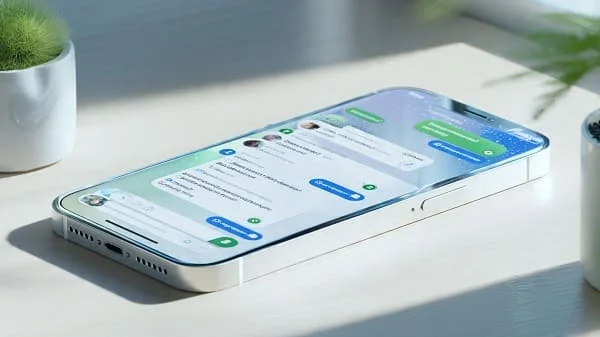
Automate group chat translation in WhatsApp with Shortcuts + Siri is a practical 2025 playbook for iPhone users who switch between Arabic and English (and other languages) in busy group threads. You’ll build a privacy‑first Shortcuts workflow that batches recent messages, auto‑detects language, translates to a single target (or outputs bilingual), composes a clean summary, and posts it back—triggered via Share Sheet, Siri phrase, Back Tap, or a Home Screen widget. Because iOS and WhatsApp don’t allow fully autonomous bots, our approach keeps a human‑in‑the‑loop confirmation so you stay fast, compliant, and in control.
Who this is for and what you’ll get
Ideal for founders, community managers, support teams, and families juggling Arabic ↔ English in WhatsApp groups. By the end you’ll have:
- A modular Shortcut that detects message language, translates to a chosen target (Arabic or English), and outputs a clean block to paste or share back.
- An optional “summary + translation” Shortcut that compresses the last N messages into bullet points (using on‑device steps plus an optional cloud call if you need AI summarization).
- Fast triggers via Share Sheet, Siri, and Back Tap that cut busywork to seconds—without breaking iOS rules.
- A repeatable QA checklist for Arabic punctuation, numerals, and RTL layout so your posts read naturally.

What iOS allows for “automation” (realistic limits)
iOS sandboxing and WhatsApp design protect user privacy. That means:
- No background auto‑read/auto‑send. Shortcuts can’t read chats silently or send messages without you confirming.
- Human‑in‑the‑loop is normal. You capture text (copy or export), run the Shortcut, review the result, and then share or paste it back into the group.
- Use official surfaces. Share Sheet, Siri, Back Tap, and WhatsApp’s group “Export Chat” are reliable entry points.
With that understood, you can still move 5–10× faster than manual copy‑translate‑rewrite cycles—and keep your workflow private and compliant.
Prerequisites and one‑time setup
- iPhone with iOS 17+. Shortcuts and Translate are built‑in.
- Download languages for on‑device translation (Arabic and English) in the Translate app for offline privacy. Apple guide: Use Translate on iPhone.
- WhatsApp updated. You’ll use Copy, Share, or Export Chat (without media) to feed text into Shortcuts. See: Export chat on iPhone.
- Enable Live Text (for screenshots): Use Live Text on iPhone.
- (Optional) Approved cloud API. If your privacy policy allows cloud summarization or external translation (e.g., DeepL API), store API keys securely and obtain consent before sending chat text to servers.
Workflow overview: capture → detect → translate → summarize → post
- Capture: copy the last messages you care about (or Export Chat → share into Shortcut).
- Detect: auto‑detect source language per line or for the block (AR vs EN).
- Translate: convert to your chosen target (Arabic or English); or output bilingual blocks if the group is mixed.
- Summarize: compress into 3–6 bullet points (optional cloud step if you want proper AI summarization).
- Post: Copy/Share/Prefill to WhatsApp; you confirm Send.

Build Shortcut A: Batch Translate (EN↔AR) for group snippets
This Shortcut accepts Text from the Share Sheet or a WhatsApp export (plain text). It detects language and outputs a single, formatted block in your target language (Arabic or English), ready to paste into the group.
Actions (ordered)
- If Shortcut Input is provided → set
Raw= Shortcut Input; Otherwise setRaw= Clipboard. - Ask for Input (Menu) → “Output language?” → choices: Arabic / English → store as
Tgt. - Split Text
Rawby new lines →Lines. - Repeat with Each item in
Lines:- Detect Language of
Repeat Item→Lang. - If
LangequalsTgt→OutLine = Repeat Item. - Otherwise → Translate Text
Repeat ItemfromLangtoTgt→OutLine. - Add
OutLinetoTranslatedlist.
- Detect Language of
- Combine Text
Translatedwith new lines →Block. - Choose from Menu: Copy / Share / Save to Files
- Copy → Copy to Clipboard
Block→ Show Result “Copied ✅”. - Share → Share
Block(choose WhatsApp). - Save → Save File (e.g., iCloud Drive / Translated/)
- Copy → Copy to Clipboard
Notes:
- For big exports, translating per line keeps alignment between speaker lines and translations.
- When you only need highlights, select a span of messages and copy instead of exporting the whole chat.
Formatting polish (Arabic)
- Normalize punctuation (optional Replace steps): convert English comma “,” to Arabic “،” and trim extra spaces.
- Numerals policy: choose Arabic‑Indic (١٢٣) vs Latin (123) per your audience and keep it consistent within a digest.
- BiDi safety: when mixing English codes/links inside Arabic output, test in WhatsApp to ensure RTL order is preserved.
Template header (optional)
— Group Digest ({Tgt}) —
Date: {yyyy‑MM‑dd HH:mm}
Scope: last {N} messages
———
{Block}
Build Shortcut B: Summarize + Translate (optional cloud step)
This variant compresses messages into concise bullets before translation. There’s no built‑in “Summarize” action in Shortcuts, so you have two options:
- Heuristic compression (on‑device): remove timestamps/emojis, deduplicate, keep lines starting with verbs, and strip short reactions. Works for quick digests but isn’t “AI smart.”
- Cloud summarization (accurate): call a trusted text API to produce a bullet summary, then run “Translate Text” to your target language. This sends content to a server—only use it for non‑sensitive chats and with consent.
Heuristic (on‑device) steps
- Get
Rawas in Shortcut A. - Replace Text to remove timestamps like
[\[\(]?\d{1,2}:\d{2}.*?[\]\)]?(approximate), and common reaction‑only lines (e.g., “👍”, “😂”). - Split Text by lines; Filter lines shorter than N chars; Deduplicate.
- Take first 8–12 lines (pseudo‑summary); Combine with bullets (e.g., “• ”).
- Translate Text bullets to Arabic or English.
Cloud (API) steps
- After input cleanup, Get Contents of URL (POST) to your summarization endpoint with
{ text: Raw, size: "short bullets" }. - Parse JSON →
Summary→ Translate Text → Output menu (Copy/Share/Save).
Privacy note: If you integrate any vendor, read its privacy and retention policies first and get team consent. For many groups, on‑device translation + manual highlights are already a big win.

Advanced (optional): DeepL API for translation
Prefer DeepL’s phrasing for EN↔AR? Replace “Translate Text” with a Get Contents of URL step calling DeepL:
POST https://api.deepl.com/v2/translate
Headers: Content-Type: application/x-www-form-urlencoded
Body: auth_key=YOUR_KEY&text={Block or Summary}&target_lang=AR
Store API keys securely (do not embed in shared shortcuts). Only use approved providers for non‑sensitive content and in line with your privacy policy.
Combine shortcuts: one menu for Translate, Bilingual, or Summary
Build a “front door” Shortcut called Group Digest (EN↔AR):
- Ask for Input (Menu): Translate / Bilingual / Summarize.
- If Translate → Run Shortcut A (target Arabic or English).
- If Bilingual → Run Shortcut A twice (Arabic and English), then combine:
— Arabic — {BlockAR}+— English — {BlockEN} - If Summarize → Run Shortcut B (on‑device heuristic or cloud), then translate to target.
Run it fast: Share Sheet, Siri, Back Tap, and widgets
- Share Sheet: Enable “Show in Share Sheet” in each Shortcut settings and accept Text. Apple guide: Run a shortcut from the Share Sheet.
- Siri: Add voice phrases, e.g., “Group digest Arabic.” Docs: Shortcuts User Guide.
- Back Tap: Settings → Accessibility → Touch → Back Tap → map to “Group Digest”. Apple doc: Use Back Tap on iPhone.
- Widget: Pin to Home Screen for thumb‑reach launches during fast threads.

Screenshots and images: Live Text to translation
Group chats often share screenshots. Use Live Text:
- Open the image → press & hold on text → Copy.
- Launch your Shortcut via Share Sheet or Siri → it translates and formats the digest.
- For automation, make a variant that accepts Images → Recognize Text → same pipeline.
QA and reliability: Arabic/RTL polish, troubleshooting
Monthly checks (5 minutes)
- Run AR→EN and EN→AR on a 10–20 line sample; verify punctuation (Arabic comma “،” and semicolon “؛”) and numerals policy.
- Paste into WhatsApp; ensure RTL alignment and no BiDi glitches for Latin codes or links.
- Test Share Sheet + Siri + Back Tap; confirm the right Shortcut triggers in each path.
- Update downloaded languages in Translate after major iOS updates.
Common issues and fixes
- Shortcut missing in Share Sheet: Settings → enable “Show in Share Sheet” and accept Text; relaunch Share Sheet.
- On‑device translate fails offline: open Translate → download languages. Docs: Use Translate on iPhone.
- Export file too large: select and copy a smaller time window; or split by date in Notes and run in batches.
- Wrong language detected: add a manual override (menu: Arabic/English) and re‑run for that chunk.

Privacy, consent, and team etiquette
- Prefer on‑device translation for chats that contain personal or client data; keep digests offline when possible.
- Redact names, IDs, and phone numbers if you must use a cloud summarizer; avoid sending sensitive chats to external APIs.
- When posting digests, avoid misattributing speakers; keep quotes short and neutral; link to original messages if needed.
- Be transparent in teams: add a note like “Digest generated via translation—reply if any nuance is missing.”
Pro tips: logs, A/B summaries, contact dictionaries
- Micro‑logs: append a CSV line to a file after each digest:
date,lines,langMix,target,mode(translate|summary),timeSaved(sec). Review weekly to tune when to switch from Translate → Summary. - A/B summary tone: keep “formal” vs “friendly” preset headers; rotate weekly and track reactions.
- Contact dictionary: simple key → value map of preferred languages for frequent speakers. If a line starts with “Name: …”, pick that speaker’s preferred target in bilingual outputs.
FAQ
Can this Shortcut read and reply automatically to WhatsApp?
No. iOS prevents silent reading/sending by third‑party apps. You supply text via Copy/Share/Export and confirm the final send—fast, private, and aligned with platform rules.
Is on‑device translation good enough for group digests?
For routine threads, yes. It’s fast and private. If terminology must be exact, optionally add a cloud engine with a glossary—but only for non‑sensitive content and with consent.
What if the group mixes Arabic dialects and English slang?
Translate to MSA or English as your digest language, and keep short quotes for nuance. Ask for clarifications in the group when meaning is ambiguous.
How many lines should I process at once?
20–60 recent lines give a useful snapshot without overloading the Share Sheet. Export Chat if you need a broader time range and run in chunks.
Can I include timestamps and names?
Yes—add a “keep speaker” toggle. For digests, include only when attribution is necessary; otherwise keep bullets concise and neutral.
Standards and trusted references

Aarav Sharma — Founder & Editor, WA Translator. I publish hands‑on, privacy‑first guides on WhatsApp translation, iOS Shortcuts, and AI translators. All workflows are tested on real devices (EN↔AR) with screenshots and downloadable Shortcuts. About Aarav • Contact