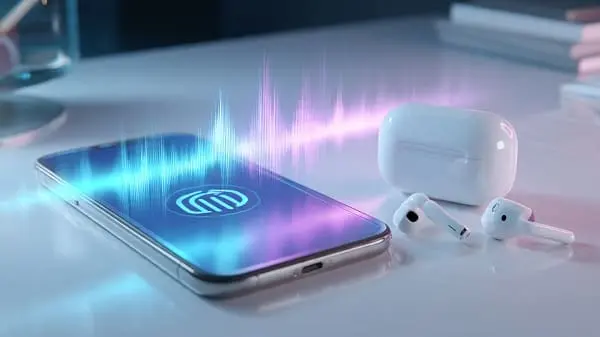
AI voice translation in 2025 is crossing an inflection point. What used to feel like a clunky demo—misheard words, awkward pauses, robotic speech—is moving toward natural, low‑latency conversation that preserves tone, intent, and accessibility. Whether you’re a traveler ordering food, a student in a multilingual classroom, or a business leader negotiating across borders, the next wave of voice translation will make real‑time understanding feel normal, not novel.
Why AI Voice Translation Matters Now
We live, learn, and work across languages. Global travel has returned strongly, remote collaboration is standard, and digital services target international users from day one. Yet language barriers still slow down care, learning, business, and daily life. Voice, not text, is where most human communication happens—rich with emotion, urgency, and nuance. If translation fails at the voice layer, it fails where it matters most.
Two macro shifts make 2025 a turning point:
- Model quality: Neural speech recognition and translation models are dramatically better at context, disfluencies (“uh, um”), and domain terms.
- Deployment: Faster chips on phones and wearables, plus smarter edge/cloud routing, reduce lag and power more on‑device features.
The result is a path from “usable in a pinch” to “good enough for everyday, even critical, scenarios”—with sensible safeguards.
Where We Are Today
Today’s leading mobile translators combine speech recognition, translation, and speech synthesis in one loop. Conversation modes allow two speakers to alternate turns while the app detects language, translates, and speaks back. Many apps also support camera and text input, but this article focuses on the voice experience.
Typical strengths in 2024–2025
- Speed: Short, slow‑paced conversations translate acceptably fast—often under a second or two between turns.
- Coverage: Major language pairs are robust; support for regional varieties is expanding.
- Offline: Popular pairs have downloadable packs for basic travel use when connectivity is spotty.
Common pain points that still appear
- Idioms and jokes: Literal renderings can miss the point. Cultural register (formal/informal) may be off.
- Noise: Busy streets, overlapping talkers, or masked speech reduce recognition accuracy.
- Specialized jargon: Medical/legal/technical terms require careful verification.
In short: the tools are helpful today and increasingly dependable, but they’re still not magic. Understanding their limits—and how to work with them—makes all the difference.
How to Evaluate Voice Translators (Methodology)
Whether you’re choosing an app for travel or rolling out translation across a team, a structured evaluation ensures you get reliable results. Use the checklist below to test any AI voice translation workflow in 2025.
Test setup
- Devices: One modern iOS device and one Android device for cross‑platform parity.
- Audio: Quiet room test, then moderate noise (café or simulated background), then loud transit‑like noise.
- Network: Wi‑Fi test, then cellular/5G; repeat key tests offline where supported.
- Languages: At least three pairs—one major pair (e.g., English↔Spanish), one with richer morphology (e.g., English↔German or Arabic), and one non‑Latin script (e.g., English↔Japanese).
Sample script (feelings, facts, function)
- Feelings: “That joke was clever, but I’m a little worried about the timing.”
- Facts: “The meeting is at 3:45 p.m. on Tuesday, in Room B‑12, Building 4.”
- Function: “Please give me two vegetarian meals and one bottle of still water, not sparkling.”
Scoring dimensions
- Recognition (ASR): Did it capture names, dates, numbers, and accents correctly?
- Translation (NMT): Is meaning preserved, tone appropriate, and idioms handled?
- Synthesis (TTS): Is the voice natural, with clear punctuation and cadence?
- Latency: Time from end of speech to translated playback.
- Stability: Performance in noise and across repeated runs.
- Offline: How capable is the offline mode versus online?
Document your findings with short audio clips (where permitted), screenshots, and notes. This creates reusable institutional knowledge and helps you justify app choices to stakeholders.
Inside the Tech: The Voice Translation Stack
Modern voice translation weaves together several components. Understanding each layer helps you troubleshoot and set realistic expectations.
| Layer | What it does | What to look for |
|---|---|---|
| ASR (Speech Recognition) | Converts speech to text, handling accents, noise, and disfluencies. | Word error rate in noise, proper noun handling, diarization (who’s speaking). |
| NMT (Neural Translation) | Maps source text to target language, preserving meaning and tone. | Idioms, register (formal/informal), domain adaptation (medical, legal). |
| Punctuation & Prosody | Reconstructs commas, questions, and rhythm for readability and speech flow. | Correct questions/exclamations, pauses at clause boundaries, sentence segmentation. |
| TTS (Speech Synthesis) | Speaks the translation aloud with a natural voice. | Clarity, warmth, speed control, and speaker styles (formal vs. casual). |
| On‑device vs. Cloud | Where computation happens; affects speed, privacy, and battery. | Offline packs, data retention controls, adaptive routing based on network. |
Why punctuation and prosody matter
Anyone who has heard a monotone translation knows how hard it is to follow. Good systems don’t just get words right; they place commas, emphasize key phrases, and choose a voice that matches the context (friendly service vs. medical triage). This is especially important in languages where intonation changes meaning.
Handling dialects and code‑switching
Real conversations mix dialects, loanwords, and even multiple languages in one sentence. Better models now adapt mid‑stream and use contextual cues to pick the right meaning (“Apple” the brand vs. the fruit). For high‑stakes contexts, it’s still smart to rephrase and confirm critical facts.
What’s Changing in 2025
- Lower latency, more flow: Faster turn‑taking makes back‑and‑forth feel human, not half‑duplex.
- Smarter noise handling: Beamforming and robust ASR reduce errors in cafés, transit, and events.
- Richer voices: Multi‑speaker TTS with expressive controls reduces “robotic” fatigue.
- Wearable‑first use: Earbuds and glasses add hands‑free translating for streets, transit, and work.
- Privacy controls: Clearer toggles for on‑device/offline modes and data deletion policies.
Want practical, app‑level recommendations you can use today? Check our hands‑on roundup: Best AI Translator Apps for iOS & Android in 2025.
Industries Poised to Transform
AI voice translation isn’t only for travelers. It will change how we teach, treat, sell, support, and include.
1) Education: Classrooms Without Borders
- Lectures, live: Students follow classes in their preferred language with fewer lags and clearer punctuation.
- Discussion sections: Conversation modes enable multilingual group work, with turn‑taking guidance.
- Accessible archives: Recorded lectures gain multilingual transcripts and voiceovers for later review.
Tip: In classrooms, set rules for turn‑taking, provide transcripts after sessions, and let students preview lecture terms to improve accuracy.
2) Healthcare: Safety Through Clarity
- Intake and triage: Intake questions translate in real time; patients confirm symptoms and medications.
- Care instructions: Discharge directions and medication schedules can be read aloud in the patient’s language.
- Accessibility: Speech‑to‑speech assists hearing or speech impairments when paired with captions.
Important: Voice translation supports understanding, but it does not replace clinicians, certified interpreters, or informed consent procedures. Always confirm critical information with a qualified professional.
3) Business: Global by Default
- Sales and support: Field teams switch to conversation mode on site; support agents handle multilingual calls with live captions.
- Procurement: Small businesses negotiate with overseas suppliers without waiting on ad hoc interpreters.
- Events: Attendees use earbuds for live translations; organizers provide multilingual announcements.
Best practice: For contracts and high‑stakes deals, use human translators to review drafts and align terminology. AI can accelerate, not replace, careful review.
4) Travel & Hospitality: Frictionless Service
- Front desk and dining: Staff switch seamlessly between guests’ languages for check‑in, allergies, and preferences.
- Guides and museums: Multilingual audio guides use expressive voices, not flat TTS.
- Transit: Real‑time announcements gain localized voice overlays and captions.
5) Media & Creative Work: New Audiences, New Revenue
- Podcasts and videos: Auto‑dubbing with speaker‑consistent voices expands reach without re‑recording.
- Gaming and live streams: Real‑time captions and translation expand global communities.
- Publishing: Draft translations accelerate localization before human refinement.
6) Accessibility & Inclusion: Communication for Everyone
- Augmentative communication: Pair translation with speech aids to bridge multiple barriers at once.
- Public services: City agencies provide multilingual hotlines with human oversight.
- Community life: Schools and local groups include families who speak different languages.
Privacy, Security, and Ethics
Voice translation touches sensitive data. Words can reveal identity, location, health, or business context. Make privacy a feature, not an afterthought.
Key questions to ask vendors
- On‑device vs. cloud: Which features run locally? Which require cloud? Can you disable cloud for certain tasks?
- Retention: Are audio or transcripts stored? For how long? Can users delete them?
- Encryption: Is data encrypted in transit and at rest? How are keys managed?
- Access control: Who, if anyone, can review samples? Are there clear audit logs?
- Consent: Is user consent captured where legally required? Are participants notified during recording?
Bias and fairness
Speech and translation models can underperform for certain accents, dialects, or underrepresented languages. Track quality by demographic and language pair, solicit feedback, and escalate issues to vendors for retraining or fine‑tuning. When accuracy matters, keep a “repeat and confirm” practice: restate key details and ask the other party to confirm.
Risks, Limits, and What Can Go Wrong
- Misheard numbers and names: Even a single digit off can cause problems. Repeat critical numbers, addresses, and dates.
- Register mismatch: A casual tone in a formal setting can offend; learn basic formal salutations in the target language.
- Latency under load: Crowded networks and older devices increase lag; download offline packs and keep a backup app.
- False confidence: Clear, natural voices can mask translation errors; verify high‑stakes content with a human expert.
Treat AI voice translation as a strong assistant: fast, capable, and improving—but not infallible. Build confirmation loops into critical workflows.
How to Choose and Set Up the Right Workflow
Step 1: Define your context
- Environment: Quiet meetings vs. noisy streets.
- Stakes: Casual chats vs. medical/legal precision.
- Devices: Phones only, or earbuds/headsets and shared displays?
Step 2: Pick two complementary tools
One broadly capable app for everyday use and another specialized app for your most frequent language pair. Keeping two ensures redundancy if one struggles with a phrase or network hiccup.
Step 3: Prepare your “go kit”
- Download offline packs for your language pairs.
- Enable conversation mode and learn how to flip direction quickly.
- Carry a small lapel mic or wired headset for noisy environments.
- Practice test phrases before your trip or meeting; learn to rephrase on the fly.
Step 4: Establish etiquette
- Take turns and pause between sentences.
- Confirm names, numbers, dates, and addresses explicitly.
- Ask the other person if the pace and volume are comfortable.
Step 5: Document and improve
Capture common phrases that worked well, note recurring errors, and keep a living glossary for your domain (ingredients, product names, procedures). This knowledge compounds across teams.
Best Practices for Clearer, Safer Conversations
Speak for transcription
- Short sentences, clear punctuation, avoid nested clauses.
- State proper nouns slowly; spell if needed.
- Rephrase idioms (“hit the road” → “start the trip”).
Use camera and text as backup
- Photograph labels, signs, or prescriptions and confirm aloud.
- Type critical terms to avoid misrecognition in noise.
Respect privacy
- Ask before recording or translating sensitive content.
- Use on‑device or offline modes when possible.
- Delete cached transcripts after high‑stakes sessions.
Maintain human oversight
- In healthcare, legal, or contractual settings, involve certified interpreters or translators.
- For published content, have a native speaker review tone and cultural references.
FAQs
Will AI voice translation replace human interpreters?
No. AI will handle an increasing share of everyday and business conversations, but humans remain essential for diplomacy, literature, complex negotiations, and sensitive care.
How accurate will AI voice translation be in 2025?
Major language pairs are seeing noticeable gains in recognition, context, and delivery. Idioms, humor, and specialized jargon still require care and confirmation.
Can these tools work offline?
Yes, many provide downloadable language packs for basic conversations. Expect the best results online; offline mode is ideal for menus, directions, and simple queries.
What about dialects and accents?
Support is improving. Performance varies by pair and region, so test with your actual accents, common terms, and background noise.
Is my data private and secure?
It depends on the app and settings. Prefer on‑device modes when available, review retention policies, and delete transcripts after sensitive sessions.
Do I still need to learn languages?
If you can, yes. AI is a bridge to understanding; language learning builds deeper connection and cultural competence.
References
- Google Translate — Help Center
- Apple Support — Translate on iPhone
- Microsoft Translator — Official
- UNWTO — Tourism Outlook and Forecasts
- Statista — Translation/Language Tech Market Estimates
Notes: Market sizes and feature support evolve. Verify current language lists, offline availability, and data policies in official documentation.

Aarav Sharma — Founder & Editor, WA Translator. I publish hands‑on, privacy‑first guides on WhatsApp translation, iOS Shortcuts, and AI translators. All workflows are tested on real devices (EN↔AR) with screenshots and downloadable Shortcuts. About Aarav • Contact