
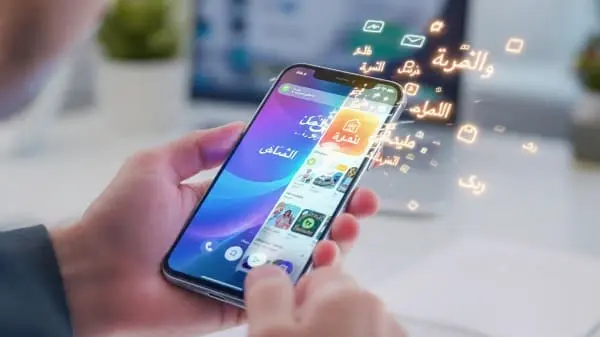
Launching an Arabic App Store page is not just “translate and upload.” If you want to rank and convert, you need Arabic keywords that reflect real searches, RTL‑ready screenshots and preview videos that communicate value in seconds, and disciplined A/B tests in App Store Connect. This practical guide covers what to localize, how to research Arabic keywords, how to design screenshots for right‑to‑left users, and how to run Product Page Optimization (PPO) safely—plus QA steps to avoid rejections.
Who this is for and outcomes
For growth marketers, ASO specialists, content designers, Arabic linguists, iOS engineers, and founders shipping Arabic versions of their apps. After this guide, you’ll be able to:
- Publish an Arabic App Store listing that reflects real search intent and your brand voice.
- Design RTL screenshots/previews that show value quickly (without cramped captions).
- Run PPO tests with clear hypotheses, proper durations, and trustworthy readouts.
- Align in‑app onboarding to the promises your listing makes so installs turn into activation.
- Ship with a QA + compliance checklist that avoids preventable rejections.
The Arabic App Store audience
Arabic‑speaking users span the GCC, Levant, North Africa, and a global diaspora. Modern Standard Arabic (MSA) is your default for metadata; dialect fits campaigns and social, not core listing fields.
- Finance/utilities: front‑load trust signals (security, compliance), Arabic UI proofs, and fees in the first frames.
- Education/productivity: outcome headlines (“learn X in Y minutes”), demonstrate real Arabic UI.
- Entertainment/games: Arabic captions, localized events, and social proof early.
Arabic keyword research (step by step)
Arabic keyword work differs from English due to morphology and spelling variants (hamza forms, alif/ya variants), plurals, and transliterations. Build a bank that groups intents and variants.
1) Discover
- Start with English seed topics (category + jobs to be done). Translate/adapt to Arabic—avoid word‑for‑word mappings.
- Use App Store search suggestions in Arabic storefronts and Apple Search Ads (ASA) discovery for seed ideas.
- Log singular/plural pairs and common transliterations or misspellings users type.
2) Normalize and group
- Group by intent (feature, outcome, brand, problem). Merge duplicates caused by hamza/spacing variants.
- Favor head+modifier patterns that mirror Arabic search style (e.g., “تعلم الإنجليزية للمبتدئين”).
- De‑diacriticize terms; users rarely type tashkīl.
3) Prioritize
- Shortlist 5–7 primary intents for title/subtitle, and 50–100 for the keywords field.
- Balance relevance, volume (ASA/category intel), and competition.
4) Test and iterate
- Monitor App Analytics by Arabic storefront: Impressions → Product Page Views → App Units.
- Run ASA exact‑match on top candidates; recycle winners into subtitle or screenshots.
Localizing metadata: title, subtitle, keywords, description
The triad that influences ranking and conversion most: Title (App Name, 30 chars), Subtitle (30 chars), and the Keywords field (~100 characters total). The description (up to 4,000 chars) helps conversion and review.
Title (اسم التطبيق)
- Brand + differentiator. Keep it concise and readable in Arabic. Do not stuff.
- If your brand is Latin, keep it; add a short Arabic descriptor after an en dash (–) if space allows.
Subtitle (السطر التعريفي)
- Express one clear benefit in Arabic. Avoid repeating title terms.
- Include one primary keyword naturally if it reads well.
Keywords field
- Comma‑separated Arabic terms, no spaces. Add singular + plural if both index.
- Include common hamza/spelling variants users actually type. Skip stopwords.
Description
- Front‑load value in the first two lines; present features as scannable bullets.
- Localize support links; keep tone helpful and specific (MSA, not overly formal).
Screenshots and preview videos for RTL users
Screenshots win when the first two frames communicate value at a glance—on small screens—in Arabic. Design composition for RTL eye‑tracking: the primary element on the right, hierarchy flowing leftward.

Screenshot set strategy (6–8 frames)
- Frame 1: category‑level promise (“تعلّم بسرعة وبطريقة ممتعة”). Show real Arabic UI.
- Frame 2: most‑used feature (lesson flow, scan, wallet).
- Frame 3: outcome proof (score, time saved, certificate).
- Frame 4: localized advantage (Hijri dates, Arabic voice, RTL layouts).
- Frames 5–6: social proof, pricing clarity, or unique integrations.
- Frames 7–8 (optional): device‑specific highlights (iPad, Apple Watch).
- Write short Arabic headlines (4–6 words) with generous padding. Keep type consistent.
- Use authentic captures from the Arabic build; avoid mocked English screens.
Preview videos
- 15–30 seconds, RTL motion cues, Arabic captions, and real interactions.
- Mute by default; ensure captions are readable on light/dark App Store backgrounds.
Product Page Optimization (A/B testing)
PPO lets you test up to three treatments against control. For Arabic, focus on frame 1 headline, frame 2 value proof, and subtitle. One hypothesis at a time.
Design a strong hypothesis
Hypothesis:
An outcome-first Arabic headline in frame 1 ("تحدّث بثقة خلال 30 يومًا")
will increase tap-through rate by ≥10% vs a feature-first headline.- Primary metric: conversion to install from product page views (Arabic storefronts).
- Guardrail: day‑1 activation unchanged (±2%) so you don’t “win” with misleading claims.
Sample size and duration
- Run until Apple shows a stable probability to beat baseline (commonly 2–4 weeks for mid‑sized apps).
- Don’t overlap tests on the same element. Ship the winner as new control, document learning, and move to the next variable.
What to test for Arabic
- Formal vs friendly wording in frame 1 headline.
- Frame 2 emphasis: price clarity vs trust (privacy, no ads, etc.).
- Subtitle phrasing (outcome vs feature naming).
- Presence of localized features in the first fold (Hijri calendar, Arabic voice).
Ratings, reviews, and Arabic responses
Arabic reviews are a strong conversion signal. Ask for reviews after a clear success moment (localized prompt). Avoid incentives; follow platform rules.
- Reply in Arabic to Arabic reviews. Summarize solutions politely and briefly.
- With permission, feature anonymized quotes in screenshots or paraphrase as social proof.
Onboarding alignment: keep listing promises
If screenshots promise “تعلّم بسرعة,” the first run should deliver quick progress in Arabic: few steps, consistent digits/formats, and a visible path to value within a minute.
- Mirror RTL navigation and gestures; place primary actions at RTL inline‑start.
- Localize notifications copy and paywalls with clear benefits. Avoid unexplained English strings.
<bdi> or code‑side isolation) to prevent rendering flips.Technical checklist: locales, builds, and RTL
- In App Store Connect, add Arabic localization and upload localized metadata/creatives per language.
- Use
Localizable.stringsfor in‑app copy; avoid hard‑coded English. - Verify RTL mirroring in navigation bars, back chevrons, carousels, steppers, and progress indicators.
- Don’t mirror charts, brand marks, or LTR code blocks/numbers that should remain LTR. See Apple HIG for right‑to‑left.
- Confirm tabular alignment for digits where needed (balances, scores).
QA and compliance: avoid rejections
Common Arabic‑launch failures: inconsistent metadata, misleading creatives, missing disclosures. Build a compliance pass into every release.
- Ensure screenshots match the current Arabic build (no phantom features).
- Use truthful metadata, accurate age ratings, and correct categories.
- Provide Arabic privacy policy and terms. If you collect data, display nutrition labels accurately in Arabic.
- Check truncation of Arabic strings on small devices; verify RTL alignment and digits formatting.
Measure impact: App Analytics and ASA
Track the Arabic funnel: Impressions → Product Page Views → App Units. Segment by source (Search, Browse, App Referrer) to see if metadata (Search) or creatives (Browse) moved the needle.
- Compare baseline vs PPO treatments: tap‑through, conversion to install, and day‑1 activation.
- Use ASA exact‑match for keyword validation; watch TTR and CR for Arabic campaigns.
- Break out results by country (KSA vs UAE often differ in price sensitivity and message preferences).
30‑day launch plan (with roles)
- Week 1 — Plan
- Draft Arabic keyword bank; select title/subtitle candidates.
- Storyboard 6–8 RTL screenshots; pick Arabic UI capture points.
- Define PPO hypothesis #1; estimate duration by traffic.
- Week 2 — Produce
- Capture Arabic UI; compose screenshots; script and cut a 20s preview (Arabic captions).
- Write metadata; legal review for privacy/terms.
- Week 3 — QA & Submit
- Run RTL/LQA passes on small/large devices; fix truncations and digits.
- Submit; set up PPO variants for Arabic storefronts.
- Week 4 — Test & Learn
- Run PPO to a stable read; ship winner as control and document learning.
- Plan next test (subtitle or frame 2 emphasis).
Templates: keyword sheet, storyboard, A/B brief
Keyword sheet (CSV)
term_ar,transliteration,intent,english_seed,volume,competition,notes,include(Y/N)Include hamza variants, singular/plural, and user spellings. Mark “include” for title/subtitle candidates.
Screenshot storyboard
| Frame | Message (AR)                | Proof UI | Caption length | Notes                 |
| 1     | قيمة/نتيجة رئيسية           | عربية    | ≤6 كلمات       | شعار/حماية إن لزم     |
| 2     | الميزة الأكثر استخدامًا     | عربية    | ≤6 كلمات       | RTL hierarchy clear   |
| 3     | إثبات/نتيجة                 | لوحة     | ≤6 كلمات       | رقم/شهادة             |
| 4     | ميزة عربية أصلية            | RTL      | ≤6 كلمات       | تقويم هجري/إملاء عربي |
| 5     | ثقة/سعر                     | شراء     | ≤6 كلمات       | وضوح التسعير          |
| 6     | تكامل/ميزة إضافية          | ذات صلة  | ≤6 كلمات       |                        |
A/B test brief (PPO)
Hypothesis: Outcome-first Arabic headline in Frame 1 increases tap-through ≥10%.
Control:  "تعلّم الإنجليزية خطوة بخطوة"
Variant:  "تحدّث بثقة خلال 30 يومًا"
Primary:  product page → install rate (Arabic storefronts)
Guardrail: day-1 activation unchanged (±2%)
Run:      2–4 weeks or until ≥90% probability to beat baseline
Decision: Ship winner + document learning
Troubleshooting
Arabic localization isn’t showing in the store
- Confirm Arabic is added under “App Information → Localizations” in App Store Connect.
- Check you’re viewing the correct storefront (Account → Storefront) and language on the device.
- Allow for propagation (often a few hours). Verify status is “Ready for Sale.”
Keywords aren’t indexing
- Remove spaces in the keywords field; use commas only.
- Include variations users actually type (hamza variants, singular/plural).
- Ensure the keyword appears in at least one field (title, subtitle, or keywords).
PPO test has very low traffic
- Increase treatment traffic share; extend duration; avoid overlapping tests.
- Run ASA to supplement discovery and increase impressions during the test window.
RTL rendering issues
- Set
semanticContentAttributeappropriately; confirm mirroring in nav bars/chevrons. - Don’t mirror charts/brand marks; isolate Latin tokens in mixed sentences to prevent bidi flips.
Common mistakes (and quick fixes)
- Cramped Arabic captions: rewrite to 4–6 words and increase padding; show real Arabic UI.
- Stuffed title/subtitle: choose one strong intent; move extras to the keywords field.
- Misleading creatives: ensure screenshots reflect the current Arabic build to avoid review issues.
- No test discipline: one variable per PPO test; predefine win criteria and durations.
- Digits inconsistency: define Arabic‑Indic vs Latin once; apply across listing and app.
Standards and trusted resources
- Apple: App Store Review Guidelines
- Apple: Product Page Optimization
- Apple Search Ads: Keywords
- Apple HIG: Right‑to‑Left
- Unicode CLDR (locale data)
Related reading
Launching Arabic product pages on the web too? See this practical guide: Localize Online Stores: Product + SEO Checklist
Conclusion and takeaways
- Build an Arabic keyword bank around real intents and variants; map top intents to title and subtitle.
- Design RTL‑first screenshots that show value in frames 1–2 using real Arabic UI, not mockups.
- Run disciplined PPO (one hypothesis at a time) and measure installs and early activation.
- Align onboarding with listing promises; keep digits/format/punctuation consistent.
- Ship with QA and compliance checks to avoid rejections; monitor analytics by country and iterate.
Treat Arabic App Store localization as a system—keywords, creatives, testing, and in‑app alignment. Do it once with clear policies and checklists, and each new release gets easier and more effective.

Aarav Sharma — Founder & Editor, WA Translator. I publish hands‑on, privacy‑first guides on WhatsApp translation, iOS Shortcuts, and AI translators. All workflows are tested on real devices (EN↔AR) with screenshots and downloadable Shortcuts. About Aarav • Contact