
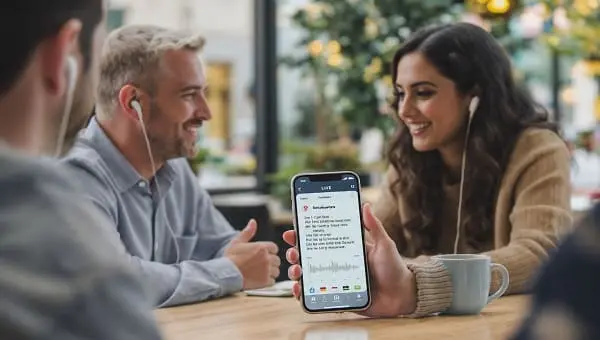
If you’re hoping to travel, study, or work across languages using earbuds, the short answer is yes—earbuds can enable near real‑time translation. The longer answer is that the “real‑time” magic usually lives on your phone (or in the cloud), while the earbuds provide the microphone and audio in your ear. This guide explains what to expect, which options actually work today, the trade‑offs around accuracy, privacy, and battery life, and how to set up a workflow you can rely on.
- Real time means low latency (typically 0.5–3 seconds for short, clear sentences), not sci‑fi‑style simultaneous interpretation.
- Most practical solutions rely on your phone: Google’s Interpreter or Live Translate (Android/Pixel), Samsung Live Translate (S24 series), or Apple’s Translate app (iPhone).
- Dedicated translator earbuds (e.g., Timekettle) offer bilingual UX and full‑duplex modes that reduce turn‑taking friction in person.
- Use machine translation for travel, logistics, and casual chats. For legal, medical, or high‑stakes meetings, hire a human interpreter.
What “real time” really means in earbud translation
Many people picture instant, simultaneous interpretation. Today’s consumer tech is close, but not identical. In practice, “real time” means your speech is captured, transcribed, translated, and spoken back with a short delay. For short, clear sentences in quiet spaces, expect roughly 0.5–3 seconds. Complex phrasing, heavy accents, overlapping speakers, or background noise can extend that.
- Speech recognition (ASR): Microphones, fit, and noise all affect the transcript that feeds translation.
- Translation engine (MT): Cloud models are generally more nuanced than fully offline packs.
- Voice output (TTS): Faster TTS settings reduce lag but can sound less natural.
- Conversation style: Many solutions are turn‑based; some dedicated earbuds offer quasi full‑duplex to reduce “your turn/my turn” friction.
Bottom line: earbuds can handle travel, study, and many business chats. For sensitive topics (medical, legal, HR) or negotiations where nuance matters, use a qualified human interpreter.
Three ways earbuds translate today
1) Dedicated translator earbuds
Purpose‑built solutions (e.g., Timekettle models) are designed around bilingual conversation. They pair with a companion app and often support multiple modes: you wear one earbud, your partner wears the other; you tap to take turns in noisy areas; or you let the phone speak aloud for someone without earbuds. Because the UX is built for two‑way translation, they feel less fiddly than general apps once set up. Some models offer offline packs for select languages.
2) Mainstream earbuds + phone features (Android/Pixel/Samsung)
Modern earbuds (Pixel Buds, Galaxy Buds, Sony WF, etc.) pair with your phone, which does the translation. Options include:
- Google Interpreter mode: Works on many Android phones via Assistant or the Google Translate app’s Conversation mode.
- Pixel Live Translate: Recent Pixel devices offer on‑device and cloud‑assisted translation features for UI, media captions, and conversations; availability varies by language and region.
- Samsung Live Translate (S24 series): Translates both sides of supported phone calls and certain on‑device interactions. Earbuds carry the audio; the phone handles the AI.
3) AirPods or other earbuds + translation apps (iOS)
On iPhone, earbuds feed audio in and out while the phone drives translation. Apple’s Translate app supports text, voice, and two‑person modes, and many third‑party apps work similarly. You won’t get “earbuds that translate by themselves,” but the experience is still fast and practical for short exchanges.
Current options in 2025: who does what?
Feature sets evolve and vary by region. Confirm details on official pages before buying or traveling.
- Timekettle translator earbuds (e.g., WT2 Edge, M3): Designed for in‑person bilingual conversations, with multiple modes and language pairs. Select models support offline packs. Latency depends on sentence length, environment, and connectivity.
- Pixel Buds + Android/Pixel features: Comfortable front end for Google’s Interpreter and Pixel Live Translate experiences. Wider language coverage online; limited nuance offline.
- Samsung Galaxy (S24 series) + Live Translate: Streamlined for phone calls and some on‑device scenarios. Pair any Bluetooth earbuds; the phone does the heavy lifting.
- AirPods + Apple Translate on iPhone: Straightforward conversation mode and voice translation. Best for short, practical interactions; keep expectations modest for idioms and humor.
- Third‑party apps (iOS/Android): Microsoft Translator Conversations, iTranslate, DeepL, and others can power translation while earbuds provide audio. Performance varies by app, language pair, and network conditions.
Feature comparison at a glance
| Solution | Real‑time style | Offline support | Best use case | Strengths | Limitations |
|---|---|---|---|---|---|
| Timekettle WT2 Edge / M3 | Full‑duplex feel or rapid turn‑taking | Select languages (model‑dependent) | In‑person bilingual conversations | Translation‑centric UX; multiple modes; less phone handover | App dependency; offline less nuanced than cloud; learning curve |
| Pixel Buds + Interpreter / Pixel Live Translate | Turn‑based; on‑device features on recent Pixels | Partial (downloadable packs) | Quick chats, directions, dining | Wide language support; mature pipeline | Cloud best for nuance; device and region matter |
| Galaxy (S24) + Live Translate | Live call translation + select on‑device scenarios | On‑device for specific languages | Cross‑language phone calls | Deeply integrated; no hand‑holding a phone mid‑call | Feature set varies by region/OS; not all languages covered |
| AirPods + Apple Translate (iPhone) | Turn‑based conversation | Limited offline; best online | Travel chats, study, casual meetings | Clean iOS integration; simple UI | Earbuds aren’t standalone translators; relies on iPhone |
| Microsoft Translator Conversations | Turn‑based; multi‑device group sessions | Primarily cloud | Classrooms, tours, small teams | Join via code; cross‑platform; readable transcripts | Data/Wi‑Fi dependency; group noise challenges ASR |
Quick setup guides (Android, iOS, dedicated earbuds)
Timekettle (WT2 Edge/M3) for in‑person chats
- Charge the case and both earbuds; install the Timekettle app.
- Pair via Bluetooth, open the app, and select your language pair.
- Choose a mode:
- Simul/Full‑Duplex: Each person wears one earbud; natural exchanges with less tapping.
- Touch Mode: Tap to translate each turn—useful in noisy places.
- Speaker Mode: One person wears the earbuds; the app speaks aloud for the other.
- Download offline packs (if supported) before travel on Wi‑Fi.
- Speak in short sentences and watch the transcript to catch errors early.
Android + Interpreter mode (works with most earbuds, including Pixel Buds)
- Update Google Assistant and Google Translate.
- Say “Hey Google, be my interpreter,” then choose languages; or open the Translate app and tap Conversation.
- Use auto‑detect or manual turns. Your earbuds capture your voice and play translations.
- For offline use, download language packs in Translate. Expect simpler results offline.
Pixel Live Translate (recent Pixel devices)
- In Settings, search for “Live Translate.” Enable the features you need (conversations, media captions), then pair your earbuds.
- Select input/output languages. On‑device availability varies by language; fall back to cloud as needed.
- Test in a quiet room before real‑world use to confirm mic routing and latency.
Galaxy S24 series + Live Translate (with Galaxy Buds or any earbuds)
- Enable Live Translate in the Phone app’s settings (availability varies by region/OS).
- Pair earbuds, place a call, and select languages for both sides.
- Speak normally; the phone renders both directions. Quiet environments help a lot.
iPhone + AirPods with Apple’s Translate app
- Open Translate and pick Conversation or Voice mode.
- Pair AirPods, set languages, and optionally enable auto‑detect.
- Press to speak, then wait for the app to finish before the other person replies.
- Keep sentences concise; avoid crosstalk for best accuracy.
Accuracy, language coverage, and domains
Quality hinges on two steps: recognizing your speech accurately and translating it well. If ASR mishears a proper name, the translation will be off no matter how smart the MT model is. Here’s what to expect:
- Everyday travel: EN↔ES/FR/DE/IT/PT are generally strong; major Asian languages (JP, KO, ZH) work well for practical requests.
- Nuance and tone: Idioms, humor, slang, and sarcasm remain tricky. Rephrase simply when tone matters.
- Specialized content: Technical, legal, or medical details can be risky in real time. Use document translation and human review for critical meaning.
- Scripts and dialects: ASR/TTS for right‑to‑left languages and dialectal variants continue to improve, but signage and diacritics can trip systems. Showing the on‑screen transcript often helps.
- Noise and echo: Crowds and reverberant rooms degrade ASR. Push‑to‑talk modes help maintain clean turns.
Calls vs in‑person conversations
In person: Dedicated translator earbuds shine because they handle turn‑taking more gracefully and keep both participants hands‑free. For longer sessions (tours, lessons), full‑duplex modes reduce fatigue.
Phone calls: Phone‑level features such as Samsung Live Translate (S24) and Pixel’s Live Translate can translate both sides of a call. This is excellent for bookings and logistics. Availability depends on device, language, carrier, and region.
Offline vs online translation on earbuds
- Offline packs: Great for menus, transit questions, and short sentences. Download on Wi‑Fi before travel; file sizes can be large.
- Cloud mode: More natural phrasing, better disambiguation, and higher‑quality voices. Requires data and introduces privacy considerations.
- Hybrid strategy: Keep offline packs for basics; switch to cloud when you have Wi‑Fi for more nuanced conversations.
Privacy and data handling
- On‑device vs cloud: Some features process audio on the device; others send audio/text to servers. Check each app’s settings and privacy policy.
- Data retention/training: Disable “use for service improvement” or similar options when confidentiality matters.
- Consent and etiquette: For calls, local laws may require informing the other party that translation is in use. When sharing an earbud, use a fresh tip or opt for speaker mode.
- Sensitive content: Don’t rely on consumer translation for medical decisions, contracts, or HR issues.
Hardware factors that really matter
- Microphones: Dual‑mic arrays and beamforming help ASR in noisy areas. Poor mic pickup is the fastest way to ruin translation quality.
- Fit and comfort: Translation sessions can last. Try multiple ear tips; a secure, comfortable seal matters.
- Battery life: Expect roughly 2–5 hours of continuous translation per charge; cases add several recharges. Long days benefit from a power bank.
- Controls: Touch or push‑to‑talk reduces crosstalk and helps in loud environments.
- Connectivity: Stable Bluetooth and low‑latency codecs prevent hiccups between your phone and earbuds.
- ANC vs Transparency: Transparency mode is usually better during conversations so you don’t miss replies.
Real‑World Notes
The points below reflect practical scenarios users frequently encounter and the adjustments that help:
- Taxi stands and busy lobbies: Auto‑detect can get confused by background chatter. Switch to push‑to‑talk or Touch Mode so only one person speaks per turn.
- Names, addresses, and codes: ASR often stumbles on proper nouns. Show the screen and let the other person read or confirm spelling. Keep a note with your hotel name/address in the local script.
- Shared earbud awkwardness: Many people don’t want to wear a stranger’s earbud. Use Speaker Mode or hand them the phone in Conversation view.
- Code‑switching: If both speakers switch languages mid‑sentence, auto‑detect may misfire. Lock languages for each side; it usually improves stability.
- Battery surprises: Live translation drains faster than music playback. Disable extra features (ANC, spatial audio) during long sessions.
- Mic routing gotchas: Some apps default to the phone’s mic even when earbuds are connected. Check the app’s input source before an important conversation.
- Data budgeting: Cloud translation can use noticeable data over long sessions. Offline packs + hotel Wi‑Fi are a good combo for travelers.
Troubleshooting and pro tips
- It keeps cutting us off. Disable auto‑detect and assign fixed languages to each side. Use push‑to‑talk or Touch Mode.
- Names are always wrong. Spell them, show them on screen, or store a short glossary if the app supports custom terms.
- Too noisy. Step away from the noise source, switch to transparency mode, cup your hand near the mic, or type key phrases.
- Latency feels long. Shorten sentences; turn down TTS voice speed only if comprehension suffers; ensure a stable connection or move to Wi‑Fi.
- Battery drains fast. Turn off ANC/spatial effects; keep the case nearby; carry a small power bank.
- App keeps pausing. Disable “auto ear detection” or “auto‑pause” in your earbuds’ settings during translation sessions.
- Android only: Exempt the translation app from battery optimization so it isn’t killed in the background.
Who should buy what? Recommendations
- Frequent travelers, tour guides, frontline staff: Dedicated translator earbuds (e.g., Timekettle) reduce friction in face‑to‑face conversations and are less fiddly than general apps when used for hours.
- Android users who translate occasionally: Any good earbuds + Google Interpreter or Pixel Live Translate is cost‑effective and simple.
- People who do many cross‑language calls: Galaxy S24 series or recent Pixels with call translation features provide the most seamless call experience today.
- iPhone users who want simplicity: AirPods + Apple Translate covers most travel situations. Add a third‑party app if you need group sessions.
- Classrooms and groups: Microsoft Translator Conversations lets multiple people join and read their own transcript.
Practical scripts for travel and work
Short, unambiguous sentences translate faster and more accurately:
- Restaurant: “Hello, I have a food allergy to [ingredient]. What dishes are safe for me?”
- Directions: “We need to get to [place]. Which train line should we take, and how many stops?”
- Hotel: “We have a reservation under [name]. Can we check in now and leave our bags?”
- Shopping: “Do you have this in size [size]? Is there a discount today?”
- Business: “I will summarize the key points briefly, then ask a question.”
If a reply runs long, ask the other person to pause every sentence or two. It keeps latency predictable and reduces ASR errors.
Costs, subscriptions, and how to save
- Hardware: Dedicated translator earbuds cost more than standard earbuds because of their translation‑focused ecosystem and companion services.
- Apps and minutes: Some apps meter translation minutes or charge for offline packs. Annual plans are often cheaper per month than monthly.
- Use what you have: Many people pair existing earbuds with a strong phone app. Buy dedicated hardware if you need full‑duplex, group modes, or frequent long sessions.
- Data and roaming: Cache offline packs, use hotel Wi‑Fi for nuanced conversations, and keep cloud use modest on cellular.
FAQ
Do any earbuds translate in real time? Yes—either via dedicated translator earbuds or by pairing regular earbuds with phone‑level features or apps. Expect a short delay.
Can AirPods translate by themselves? No. AirPods handle audio; your iPhone and app do the translation.
Are offline translations good enough? Often for menus, transport, and short questions. For nuance and long answers, online/cloud translation is usually better.
What about phone calls? Supported Android devices (e.g., Galaxy S24 series, recent Pixels) can translate calls in select languages and regions. iOS solutions focus on in‑person conversations.
How fast is “real time”? In good conditions, roughly 0.5–3 seconds per short sentence. Noise, accents, and long sentences add time.
When should I not rely on earbuds alone? Legal, medical, HR, safety‑critical discussions, or any situation where precision and liability are crucial.
Related reading (internal)
For step‑by‑step iPhone tips, see: How to Use Apple AirPod to Translate Languages (2025)
External sources and official links
- Google Assistant Help: Interpreter mode
- Google Pixel: Use Live Translate
- Samsung Phone app: Live Translate overview (S24 series)
- Apple Support: Use the Translate app on iPhone
- Timekettle WT2 Edge — Translator earbuds
- Microsoft Translator: Conversations
- Google Translate: Download languages for offline use
Conclusion
Earbuds can absolutely enable near real‑time translation in 2025—but the experience depends on the phone and software behind them. For the most seamless in‑person conversations, dedicated translator earbuds reduce turn‑taking friction and keep both hands free. If you already own solid earbuds, your phone can supply the brains: Google Interpreter or Pixel Live Translate on Android, Samsung Live Translate for supported calls on S24 devices, and Apple’s Translate app on iPhone all deliver practical results for everyday use. Keep sentences short, manage noise, and be mindful of privacy. For anything high‑stakes, bring a human interpreter.

Aarav Sharma — Founder & Editor, WA Translator. I publish hands‑on, privacy‑first guides on WhatsApp translation, iOS Shortcuts, and AI translators. All workflows are tested on real devices (EN↔AR) with screenshots and downloadable Shortcuts. About Aarav • Contact