
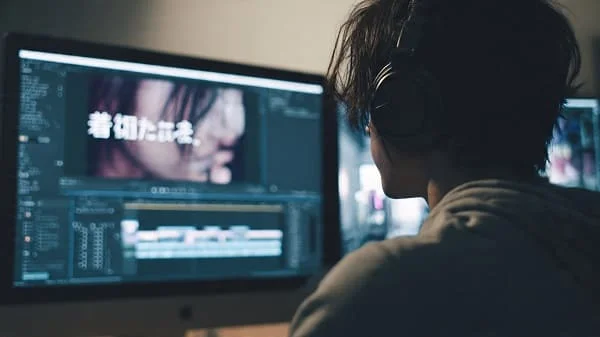
Looking for the best ChatGPT prompts for Japanese to English subtitles? This complete guide shows you how to turn fast, nuanced Japanese dialogue into clear, natural English subtitles—without losing tone, humor, or cultural flavor. You’ll get a reproducible prompt methodology, ready‑to‑use prompt templates (by genre and audience), before/after examples, SRT formatting tips, a QC checklist (reading speeds, timing, line length), privacy/legal notes, and troubleshooting. By the end, you’ll know exactly how to brief ChatGPT so your subtitles are concise, readable, and faithful to the original scene.
Table of Contents
Why Prompts Beat Raw Translation
Copying Japanese into a translator and hitting “translate” yields English—but not subtitles. Subtitles must be readable at a glance, timed to the scene, emotionally aligned, and culturally fair. Japanese is rich with particles, honorifics, ellipsis, and unspoken context, so literal output often sounds robotic or confusing.
Prompts act like stage directions. They tell ChatGPT the audience (kids vs pros), the tone (casual vs formal), the constraints (max 10–12 words per line), and the cultural treatment (keep senpai, onigiri, sensei untranslated). With the right prompt, you get subtitle‑ready English on the first pass—less fixing later, more storytelling now.
Nuance matters
- Politeness levels: です/ます vs casual forms must map to suitable English register.
- Culture‑bound terms: otsukaresama, mottainai, yankii (delinquent), ikemen (handsome guy) rarely have one‑word equivalents.
- Time limits: Subtitles must fit reading speed—long literal lines don’t.
Methodology: How We Test Prompts for Subtitles
To keep this guide practical and reproducible, we evaluate prompts using a fixed set of test lines and scenes across multiple contexts.
Language pairs & content
- JP→EN: drama clips (casual speech, honorifics), documentary narration (formal register), anime gags (humor), interviews (hesitations, fillers), and children’s shows (simple phrasing).
Evaluation dimensions (1–5)
- Meaning fidelity: Does it preserve intent, facts, and implicature?
- Naturalness: Does it read like native English subs?
- Culture handling: Reasonable choices about keeping/adapting terms.
- Subtitle fitness: Concision, line length, readability.
- Risk control: Numbers, names, instructions, and delicate topics.
Subtitle constraints used in testing
- Max ~10–12 words per line; two lines per subtitle block
- Display 1.0–7.0 seconds; typical reading speed ~12–17 characters/sec
- Trim filler words; prefer punchy, idiomatic English
We deliberately include dialect words (e.g., Kansai‑ben) and culture‑bound phrases to see how each prompt handles ambiguity and style.
Subtitle Workflow: From Audio to Polished SRT
Great prompts won’t help if your transcript is messy or mistimed. Use this workflow end‑to‑end:
- Get text: If you don’t have a transcript, transcribe audio first (local/secure options recommended for sensitive interviews). Need help? See our detailed guide: How to Convert Audio Interviews into Text with AI (Complete Guide).
- Clean up: Fix obvious ASR errors (names, numbers, places). Chunk the dialogue by scene (5–10 minutes each) for better context.
- Prompt ChatGPT: Paste a short chunk + a precise prompt (tone, line length, audience, cultural policy). Include constraints like “max 12 words/line.”
- Edit: Watch the scene while reading the subs. Shorten long lines; adjust wording to match emotion and timing.
- Format SRT: Create/adjust timestamps using a subtitle editor, then export to .srt or .ass.
Sample SRT block
1 00:00:01,000 --> 00:00:03,000 Stop it! Don’t talk like that!
2
00:00:04,000 --> 00:00:06,500
Why would you say that now?
Tip: You can ask ChatGPT for “SRT‑style output with placeholder timestamps” to reduce formatting time—then align timing in your editor.
Core Prompt Patterns (With JP→EN Examples)
Use these as building blocks. Swap tone, constraints, and culture policy to match your scene.
1) Casual conversation (Netflix‑style)
Prompt: “Translate this Japanese dialogue into conversational English subtitles, like Netflix. Keep each line under 12 words. Use natural slang when appropriate.”
JP: 「じゃあ、行こうか。」 → Sub: “Alright, let’s go.”
2) Documentary narrator (formal)
Prompt: “Translate into professional English subtitles with a documentary tone. Concise, accurate, polite.”
JP: 「我々は新しい技術に取り組んでいます。」 → Sub: “We are currently developing new technology.”
3) Cultural flavor preserved
Prompt: “Translate into English subtitles. Keep culture words like senpai, sensei, onigiri untranslated. Make the meaning clear without footnotes.”
JP: 「先輩、今日はありがとうございました。」 → Sub: “Thanks for today, senpai.”
4) Children / ESL simple mode
Prompt: “Translate into English subtitles for kids. Simple words. Short, clear sentences. Avoid idioms.”
JP: 「お腹が空いた。」 → Sub: “I’m hungry. Let’s eat.”
5) Bilingual (EN + JP for learners)
Prompt: “Translate into English subtitles and show the original Japanese on the next line.”
I’m tired today. 今日は疲れたな。 6) Shortened, subtitle‑friendly
Prompt: “Translate into English subtitles with max 10 words per line. If a sentence is long, summarize while preserving the point.”
JP: 「彼女は昨日の会議で発表をして、みんなに感謝を伝えました。」 → Sub: “She presented yesterday and thanked everyone.”
Genre & Audience Prompts (Anime, Docs, Kids, Business)
Dial your prompt to the genre for fewer rewrites.
Anime & drama
- Honorifics: “Preserve -san, -kun, -chan. Keep senpai/sensei.”
- Emotion: “Add subtle emotion cues (angry), (sad) only if needed.”
- Humor: “Adapt humor for Western audiences while keeping scene intent.”
JP: 「そんなバカな!」 → Literal: “Such nonsense!” → Sub: “No way, that’s ridiculous!”
Documentaries & interviews
- Professional tone: “Polite, accurate, concise. Avoid slang.”
- Clarity: “Rewrite disfluencies; keep the speaker’s intent intact.”
JP: 「本日はお時間をいただきありがとうございます。」 → Sub: “Thank you very much for your time today.”
Kids & education
- Simple language: “Use high‑frequency words. Short sentences.”
- Bilingual option: “Show JP under EN for learners.”
Business & professional
- Polish: “Translate into formal business English. Avoid colloquialisms.”
- Summarize long clauses: “Shorten while preserving meaning.”
JP: 「クラウドインフラの効率化を目指しています。」 → Sub: “We’re working to make cloud systems more efficient.”
Advanced Prompt Tricks (Emotions, Labels, Bilingual, Summaries)
- Speaker labels: “Add [Speaker 1], [Speaker 2] at the start of each line.”
- Emotion cues: “Include (angry), (sad), (excited) sparingly to match tone.”
- SRT formatting: “Output in SRT style with placeholder timestamps.”
- Summarization: “If a sentence is long, condense for readability.”
- Bilingual lines: “Show Japanese under the English line for learners.”
Example bilingual block
Stop it! Don’t talk like that! やめろよ!そんなこと言うな! Before/After Samples: Literal vs Prompted
| Japanese | Literal | Prompted Subtitle | Why It’s Better |
|---|---|---|---|
| 「もう二度と会いたくない!」 | I don’t want to see you again! | (angry) I never want to see you again! | Emotion cue matches delivery; punchier phrasing. |
| 「昨日は死ぬほど疲れたよ。」 | Yesterday, I was tired to death. | I was dead tired yesterday. | Idiomatic English; same meaning, more natural. |
| 「先輩、お疲れ様です!」 | Senior, you must be tired. | Good job today, senpai! | Keeps cultural term; maps intent instead of literal. |
| 「静かに!」 | Be quiet! | [whispering] Quiet! | Scene cue aligns with on‑screen delivery. |
Decision Matrix: Which Prompt When?
| Scenario | Audience | Recommended Prompt | Notes |
|---|---|---|---|
| Anime comedy scene | Fans | “Conversational; adapt humor; keep senpai/sensei; ≤12 words/line.” | Keep terms; don’t over‑localize punchlines. |
| Documentary narration | General | “Professional, concise, accurate; formal register; avoid slang.” | Prioritize clarity over slang or idioms. |
| Children’s show | Kids/ESL | “Simple words; short sentences; optional bilingual lines.” | Keep vocabulary accessible. |
| Investor interview | Business | “Professional tone; summarize long clauses; preserve names, numbers.” | Double‑check terms of art. |
| Travel vlog | Public | “Friendly, natural; vlog style; ≤10 words/line.” | Warm, inviting tone; avoid stiff phrasing. |
Quality Control: Timing, Reading Speed, Line Length
Subtitle fitness checklist
- Line length: Aim for 10–12 words; max two lines.
- Display time: 1.0–7.0 seconds; enough to read comfortably.
- Reading speed: ~12–17 characters/sec as a baseline.
- Names & numbers: Confirm spelling; repeat orally if in dialogue.
- Tone match: Ensure emotion aligns with acting and music.
- Register: Polite vs casual must be consistent across a scene.
Practical edits that help
- Swap “do not” → “don’t,” “I am” → “I’m,” when tone allows.
- Remove filler (“well,” “um”) unless it reflects character.
- Prefer active voice; split long thoughts into two concise lines.
Troubleshooting & Common Pitfalls
- Too literal: Add “conversational” and “adapt humor” in the prompt; limit words/line.
- Over‑translation of culture: Say “keep senpai/onigiri untranslated” or “preserve honorifics.”
- Lines too long: Add “≤10 words per line; summarize if needed.”
- Scene timing off: Trim wording or split into two subtitle blocks.
- Dialect confusion (Kansai‑ben): Tell ChatGPT explicitly: “normalize Kansai dialect into natural casual English.”
- Inconsistent tone across a scene: Paste scene context in each chunk; maintain one prompt template per scene.
Legal, Privacy, and Rights Essentials
- Rights: Only subtitle content you have the right to use. Don’t share or distribute copyrighted scripts/subtitles without permission.
- Privacy: Avoid uploading confidential interviews to cloud tools without consent. Prefer local/offline transcription for sensitive material.
- Attribution vs adaptation: Subtitles are an adaptation; publishing generally requires rights. Classroom/study use is different from public release.
Disclaimer: This guide is educational and not legal advice. For licensing questions, consult a qualified professional.
Mini Case Studies (Student, Vlogger, Business, Fans)
Student (documentary interview)
A sociology student needed English subs for Japanese farmer interviews. They transcribed locally, then used a documentary prompt (“professional, concise, accurate”) and added bilingual lines for a learning appendix. Professors praised clarity and tone.
Travel vlogger (Kyoto shop talk)
Casual prompt (“friendly vlog style; ≤10 words/line”) turned stiff phrases into warm lines: “This tea is part of our tradition. We make it with care.” Engagement improved.
SMB owner (investor pitch)
A café owner subtitled customer testimonials with a business prompt (“professional, polite; summarize long clauses”). Small edits like “relaxing atmosphere” instead of “calm” made the pitch feel investor‑ready.
Anime fans (honorifics & humor)
Fans preserved honorifics and adapted punchlines (“No way, that’s ridiculous!”). Result: faithful vibe without confusing newcomers.
The Future: Real‑Time, AR, and Cultural Adaptation
- Real‑time subtitles: Live captioning is improving; expect smoother JP→EN in classrooms and events.
- Wearables: AR glasses could show live subtitles under the stage or screen.
- Smarter sense‑making: Models will better detect sarcasm, puns, and implied meaning, adapting subtitles to audience and platform.
- Multilingual at once: Multiple subtitle tracks (EN/ES/FR/AR) may generate in minutes from the same JP source.
- Personalized styles: Toggle “formal,” “casual,” or “bilingual” mid‑video to match user goals.
FAQs
Can ChatGPT generate real‑time Japanese → English subtitles?
Not end‑to‑end yet. You can translate transcripts fast and format SRT, but live sync still requires specialized captioning tools and editors.
Are ChatGPT subtitles better than Google Translate?
For subtitles, yes—when you specify tone, constraints, and cultural policy. Google excels at quick meaning; ChatGPT shines with style control.
How do I handle slang or dialect (Kansai‑ben)?
Add context to the prompt: “Normalize Kansai dialect into natural casual English” and keep lines short. Always proofread.
Can ChatGPT output SRT?
Yes. Ask for “SRT‑style output with placeholder timestamps,” then align timing in a subtitle editor.
Do I need to know Japanese?
No—but basic knowledge helps you spot mistranslations and fix nuance. A bilingual collaborator or reviewer is ideal for high‑stakes work.
What about privacy?
Don’t upload sensitive interviews to cloud tools without consent. Prefer local/offline transcription when possible.
How short should each subtitle be?
As a rule of thumb, 10–12 words per line, two lines max, and a display time of 1–7 seconds at ~12–17 characters per second reading speed.
Can I keep Japanese terms like senpai and onigiri?
Yes—tell ChatGPT to preserve cultural terms. Alternatively, ask it to localize for newcomers. Your audience decides the policy.
References (Up to 5 External Links)
- OpenAI Whisper — Local/Offline Transcription
- Google Translate — Help Center
- Apple Support — Translate on iPhone
- Subtitle Edit — Open‑Source Subtitle Editor
Note: Check official pages for current features, privacy policies, and platform support.
About the Author & Editorial Standards
We specialize in practical, repeatable JP→EN subtitle workflows that balance speed, tone, and culture. Our guides combine tested prompts, QC checklists, and tool‑agnostic steps so creators can ship accessible videos faster. We periodically review public documentation and commonly reported behaviors to keep recommendations current. For legal/medical or confidential content, involve qualified human translators and subject‑matter experts.

Aarav Sharma — Founder & Editor, WA Translator. I publish hands‑on, privacy‑first guides on WhatsApp translation, iOS Shortcuts, and AI translators. All workflows are tested on real devices (EN↔AR) with screenshots and downloadable Shortcuts. About Aarav • Contact